RAIDON iR5740M: 4-Bay M.2 SATA SSD Internal Hardware RAID Module
High-Density, Front-Serviceable M.2 SATA RAID Storage in One Standard 3.5-Inch Bay
Four M.2 SATA SSDs. One 3.5-inch bay. Built-in hardware RAID.
Overview
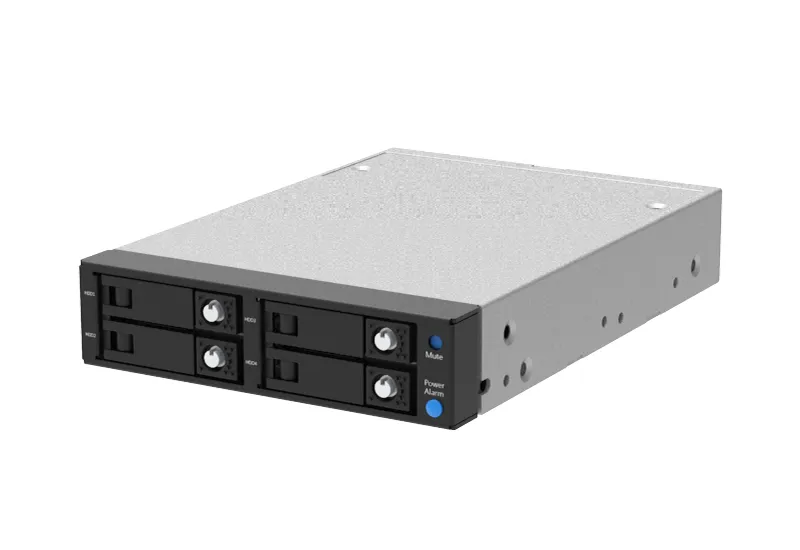
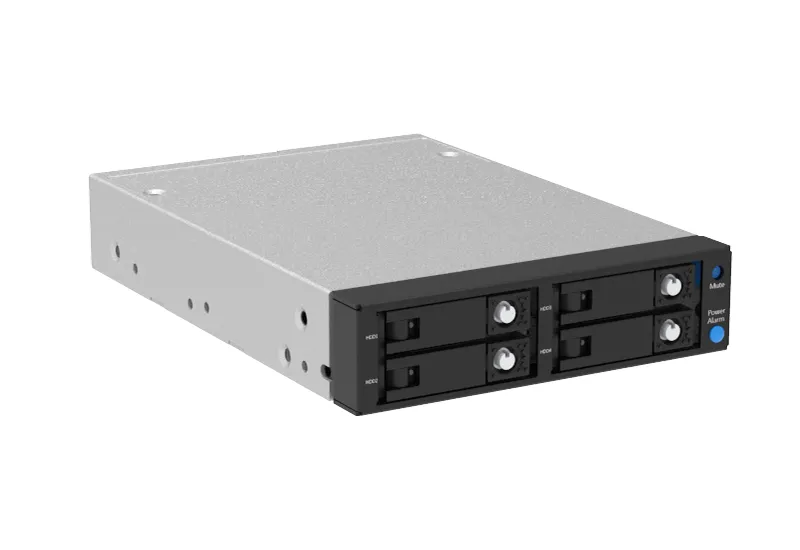
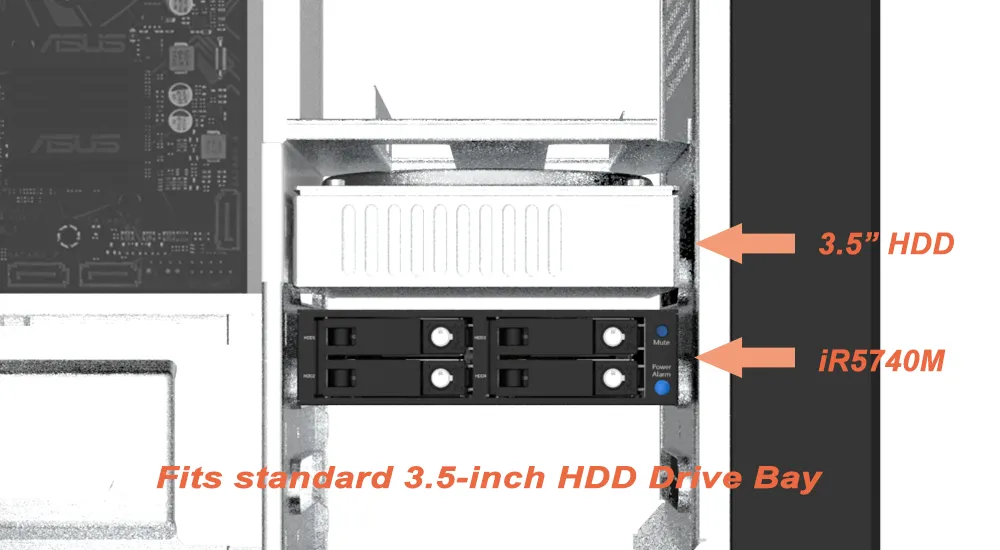
The RAIDON iR5740M consolidates four M.2 SATA SSDs into a single standard 3.5-inch drive bay, maximizing storage density in systems where internal space is limited.
Combining built-in hardware RAID, front-accessible removable SSD trays, active cooling, and system-status monitoring, the iR5740M provides configurable, serviceable internal storage without requiring a separate RAID card or host-based RAID software.
It is designed for industrial PCs, embedded platforms, edge-computing systems, compact workstations, data-logging equipment, and local storage appliances.
Key Advantages
|
Highlight |
Customer Benefit |
|---|---|
|
High-Density Storage |
Four M.2 SATA SSDs in one standard 3.5-inch drive bay |
|
Built-In Hardware RAID |
No separate RAID card or host-based RAID software required |
|
Flexible Storage Modes |
Configure for performance (RAID 0), RAID protection (RAID 5), capacity aggregation (BIG), or independent-drive access (JBOD). |
|
Front-Serviceable Design |
Hot-swap capable, tool-free locking SSD trays |
|
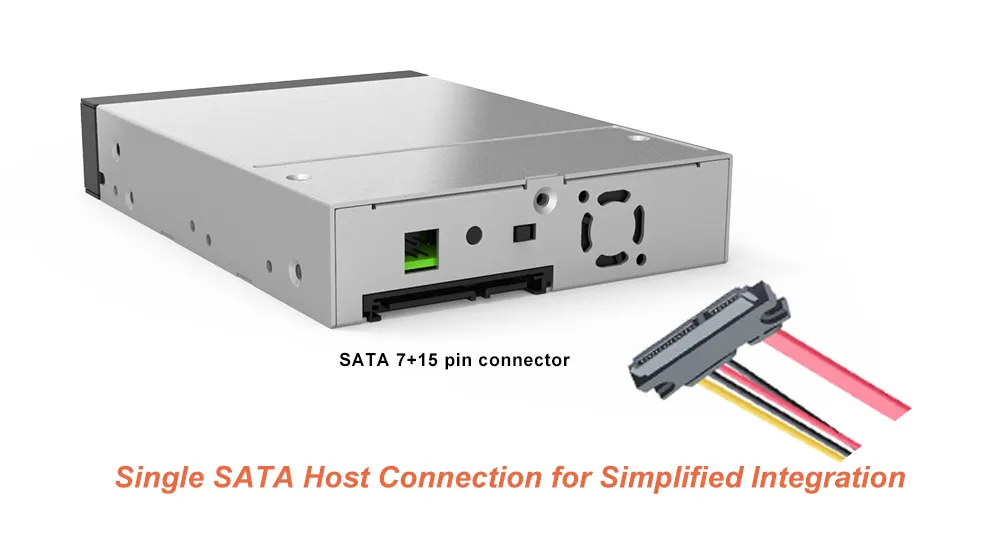
Simple Host Integration |
Single SATA III 6Gb/s host connection |
|
Multi-Module Deployment |
Deploy multiple compatible RAIDON internal RAID modules to support independent storage volumes and different SATA drive formats in one system. |
|
Active Thermal Management |
Full-metal chassis with a 20 mm cooling fan and high/low speed settings |
|
System Monitoring |
Drive-status, temperature, and fan-failure alerts |
|
Windows GUI Support |
RAIDON STATUSGUARD monitoring |
Features
1. Four M.2 SATA SSDs in One 3.5-Inch Bay
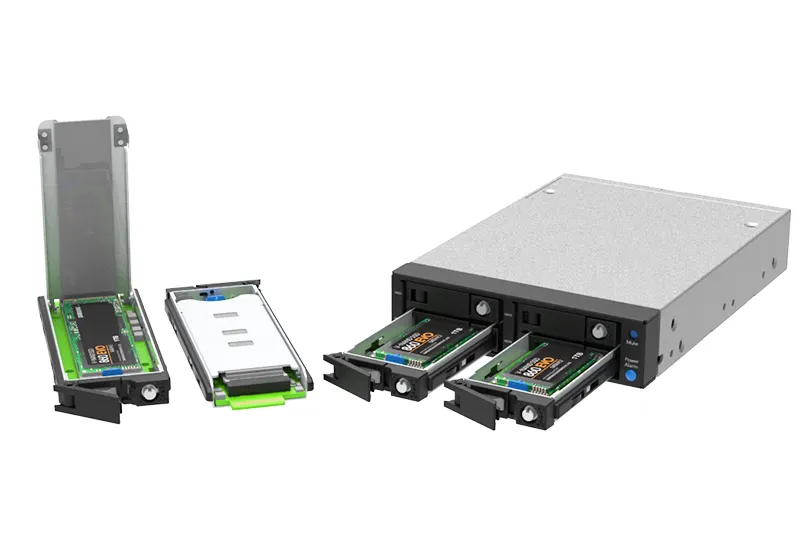
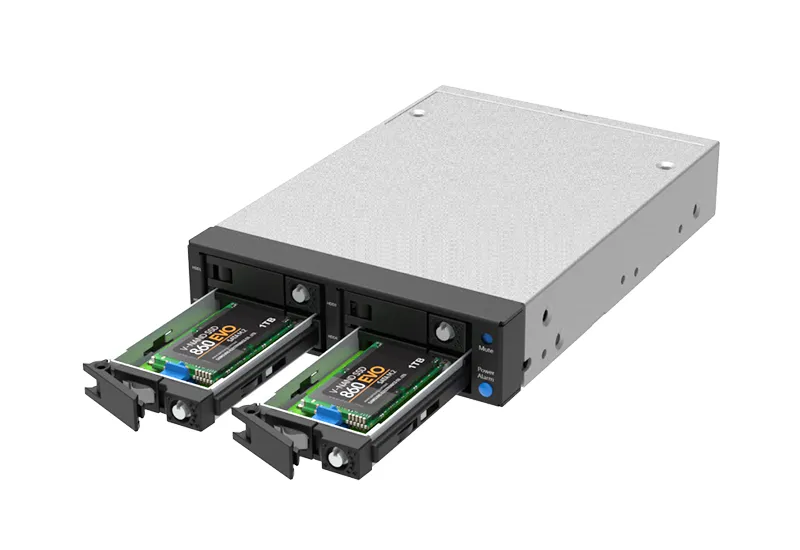
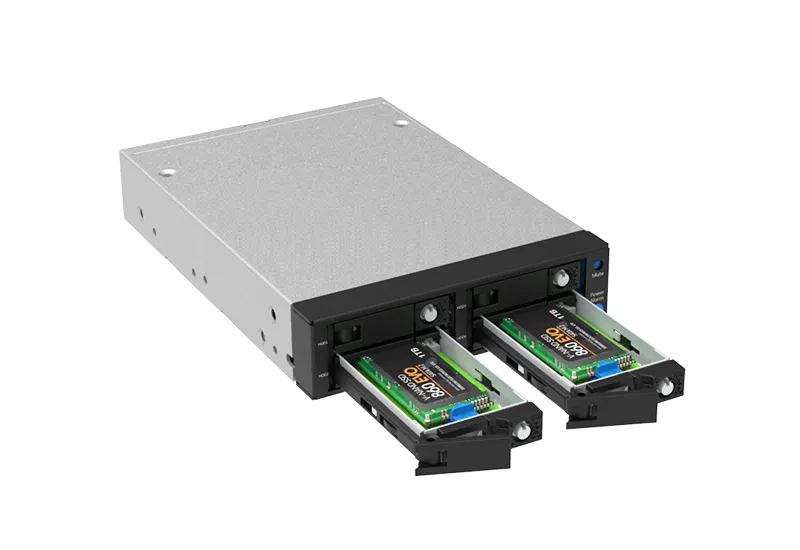
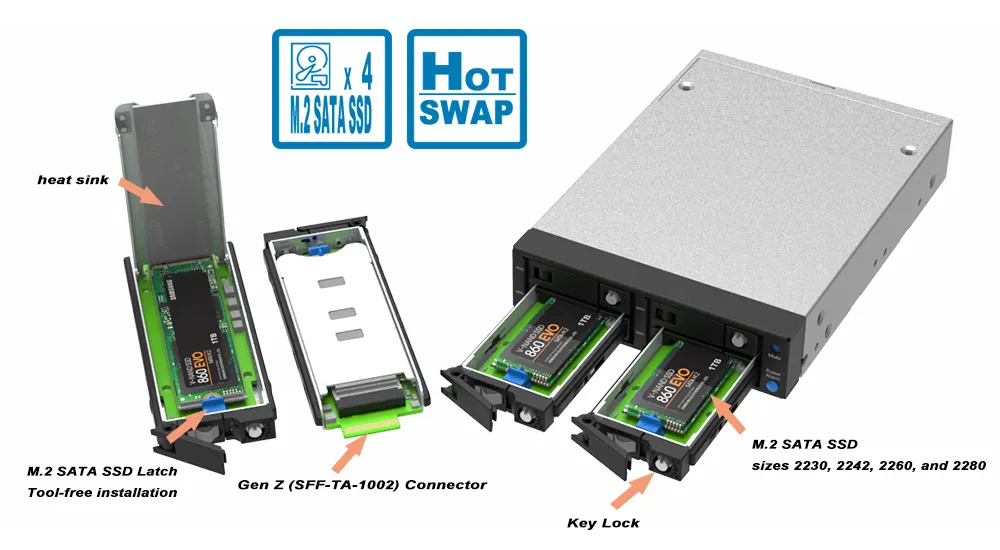
The iR5740M fits four M.2 SATA SSDs in 2230, 2242, 2260, or 2280 sizes into one standard 3.5-inch drive bay, maximizing storage density while preserving internal system space.
Supported Drive Type: M.2 SATA SSD only. M.2 NVMe and PCIe SSDs are not compatible.
2. Built-In Hardware RAID
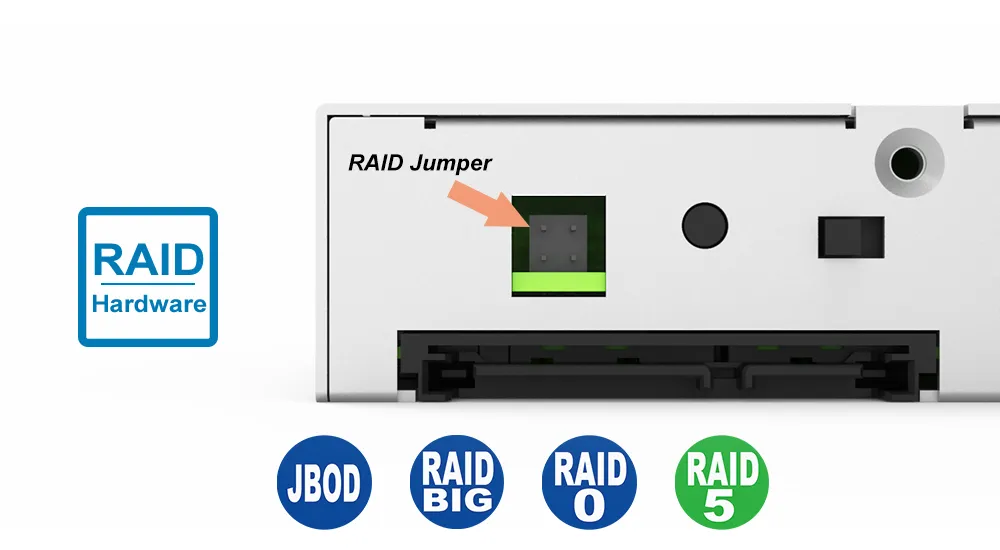
The built-in RAID controller requires no separate RAID card or host-based RAID software.
RAID 0: Maximum performance
RAID 5: Balanced capacity and protection against the failure of one installed SSD.
BIG: Combined storage capacity.
JBOD: Independent-drive access
RAID operation is independent of STATUSGUARD.
3. Performance Architecture
All four SSDs connect to the host through a single SATA III 6Gb/s interface.
The iR5740M is optimized for storage density, RAID protection, and serviceability rather than maximum throughput. All installed SSDs share the available bandwidth of the host connection.
4. Multi-Module RAID Expansion
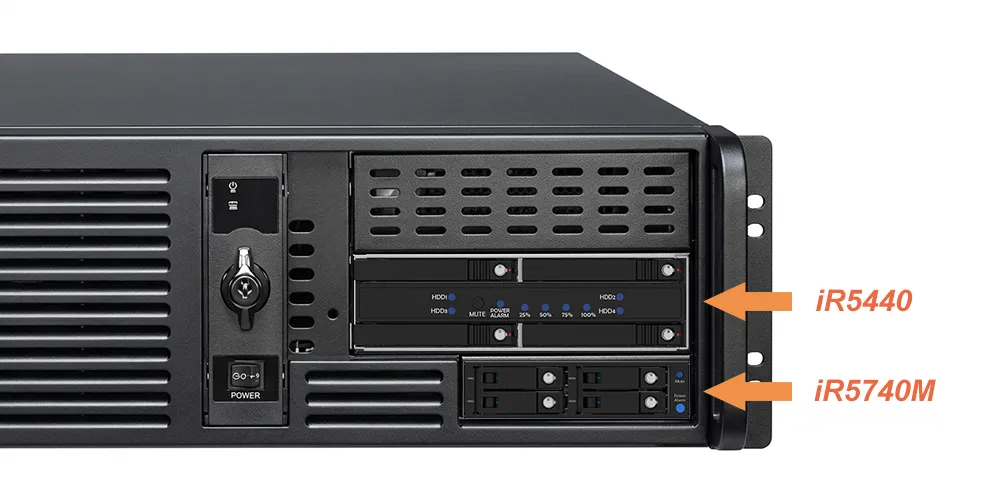
Compatible systems can accommodate multiple RAIDON internal RAID modules, including mixed models such as the iR5740M and iR5440. Each module operates independently and requires its own compatible drive bay, SATA host connection, power connection, and adequate cooling.
5. Hot-Swap Capable, Tool-Free Locking Trays
Each M.2 SATA SSD is installed in an individual removable tray featuring:
● Tool-free SSD installation
● Automatic latch mechanism
● Key-lock protection
● Front-accessible drive replacement
● Simplified servicing and maintenance
The trays are designed for hot-swap operation when supported by the selected RAID mode, host SATA controller, operating system, and system configuration.
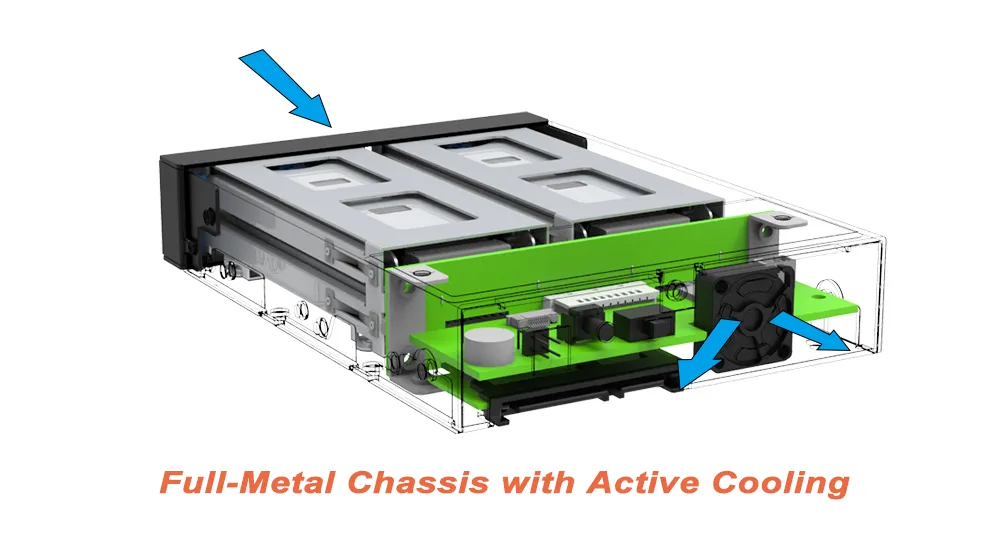
6. Full-Metal Chassis with Active Cooling
The full-metal enclosure provides structural durability and supports efficient heat dissipation.
A built-in 20 mm cooling fan with high and low speed settings helps maintain stable operating temperatures in compact system environments. The separated SSD arrangement also supports airflow around the installed drives.
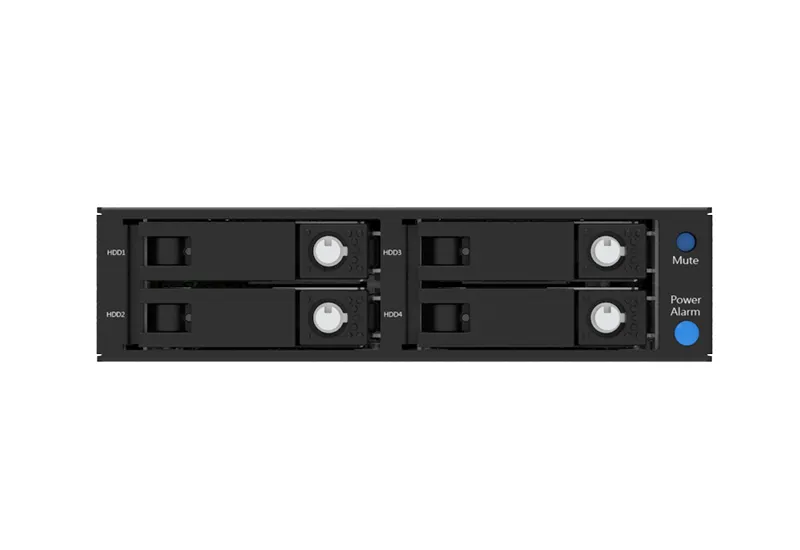
7. Clear Status and Alert Monitoring
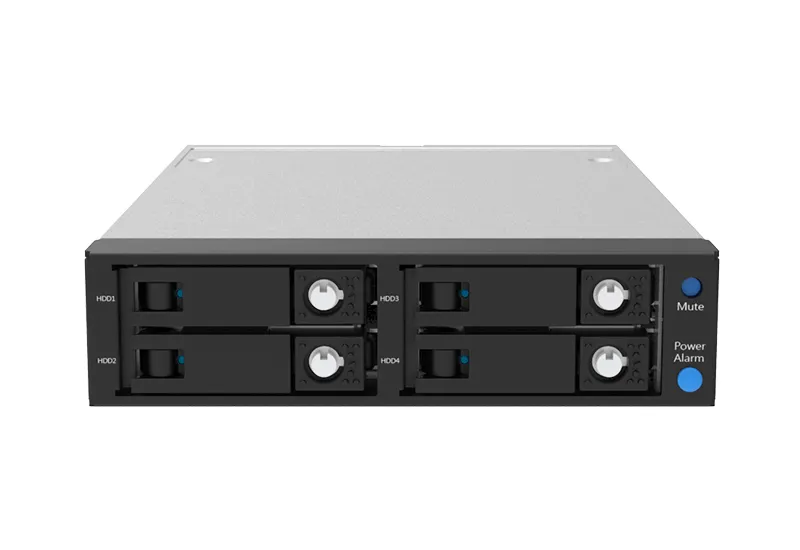
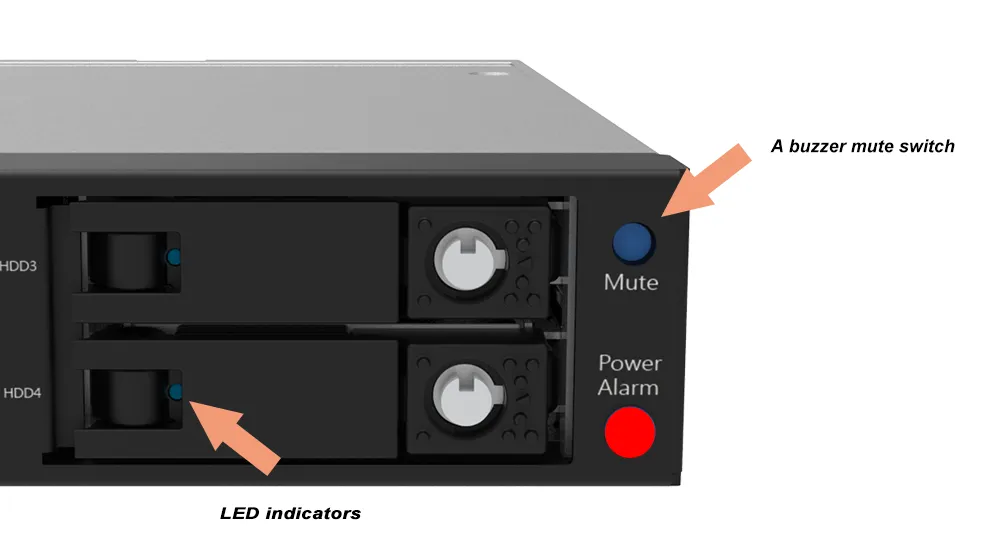
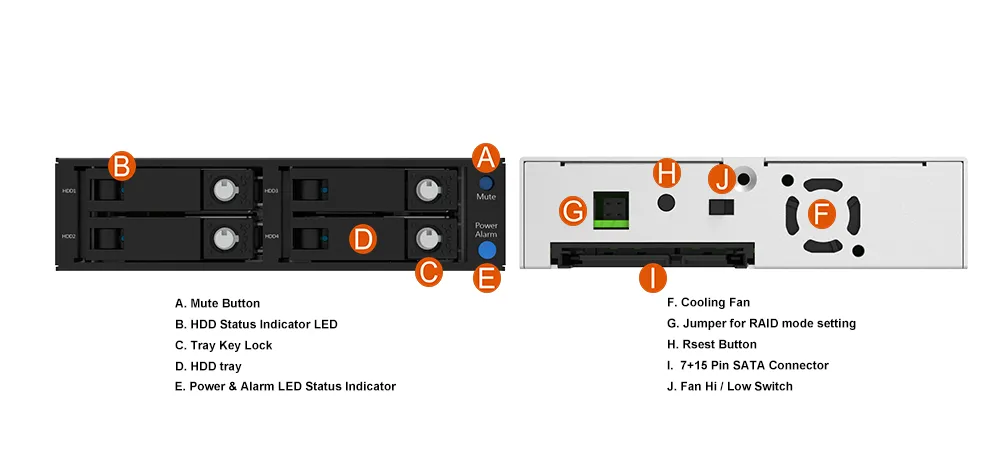
The iR5740M provides front-panel indications for drive activity, drive failure, high enclosure temperature, and cooling-fan failure. A one-touch mute function allows the audible alarm to be silenced after the condition has been acknowledged.
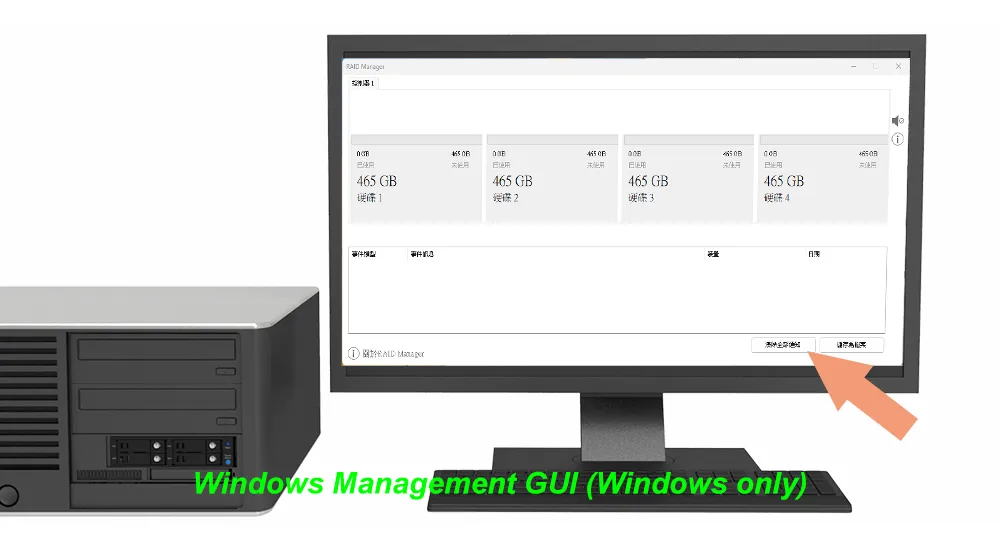
8. RAIDON STATUSGUARD for Windows
RAIDON STATUSGUARD provides a graphical interface for supported RAID and device-status monitoring on Windows systems.
It complements the front-panel indicators by allowing users to review supported device information directly from the host system.
RAID Mode Guide
|
RAID Mode |
How It Works |
Best Fit |
|---|---|---|
|
RAID 0 |
Stripes data across the installed SSDs for maximum available performance. It provides no drive-failure protection. |
Scratch storage, caches, and temporary performance-focused data |
|
RAID 5 |
Uses distributed parity and provides protection against the failure of one installed SSD. |
Important local data requiring a balance of capacity and protection |
|
BIG |
Combines the installed SSDs into one large logical volume without redundancy. |
Simple capacity aggregation |
|
JBOD |
Presents each SSD independently when the host controller supports SATA Port Multiplier operation. |
Individual drive access, testing, or separate storage volumes |
Applications
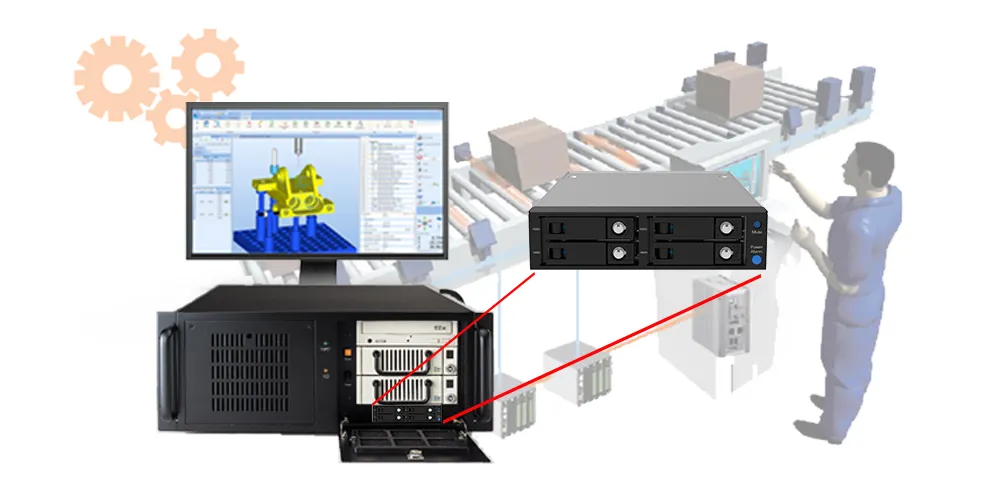
1. Industrial PCs and Edge Computing
Add compact hardware RAID storage to industrial automation, machine-vision, edge-processing, and control systems where internal space is limited.
2. Embedded and Compact Systems
Increase SSD density in embedded computers, networking appliances, compact servers, and specialized industrial platforms equipped with a standard 3.5-inch bay.
3. Professional Workstations
Support CAD files, engineering projects, application data, media ingest, development environments, and local project backup within a compact internal storage module.
4. Data Logging and Acquisition
Provide serviceable local storage for laboratory equipment, monitoring platforms, scientific instruments, and continuous data-collection systems.
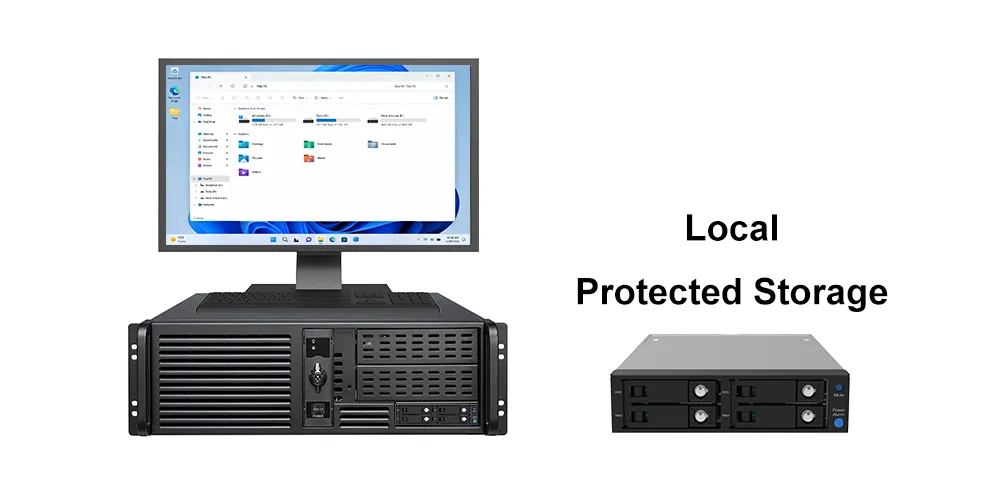
5. Local Protected Storage
Create a compact RAID volume for application data, system logs, local backup, and other information requiring protection against the failure of one installed SSD.
iR5740M vs. iR5440
Which Model Should You Choose?
Choose the iR5740M when M.2 SATA SSD density and installation in a standard 3.5-inch bay are the main priorities.
Choose the iR5440 when standard 2.5-inch HDD or SSD compatibility and larger removable trays are preferred.
|
Feature |
iR5740M |
iR5440 |
|---|---|---|
|
Primary Positioning |
High-density M.2 SATA RAID storage |
Front-accessible 2.5-inch SATA RAID storage |
|
Supported Drives |
4 × M.2 SATA SSDs |
4 × 2.5-inch SATA HDDs or SSDs |
|
Supported Drive Form Factors |
M.2 SATA 2230 / 2242 / 2260 / 2280 |
Standard 2.5-inch SATA |
|
Installation Space |
Standard 3.5-inch drive bay |
5.25-inch bay / 1U ODD-form-factor space |
|
Host Interface |
SATA III 6Gb/s |
SATA III 6Gb/s |
|
RAID Modes |
RAID 0 / RAID 5 / BIG / JBOD |
|
Cooling |
20 mm fan |
40 mm fan |
|
Best Fit |
Maximum M.2 SATA SSD density in a standard 3.5-inch bay |
Broader 2.5-inch HDD and SSD compatibility |
Installation Essentials
1. JBOD Host Requirement
Accessing all four SSDs independently in JBOD mode requires a SATA controller with Port Multiplier support.
Most motherboard SATA ports do not support this function and may detect only one SSD. Use a compatible PCIe SATA expansion card with explicit Port Multiplier support when four independent drives are required.
2. Clear Previous RAID Metadata
Clear previous RAID metadata and disk information using RAIDON Clear Disk Info or the disk-initialization procedure specified in the installation guide.
3. RAID Configuration
Select and initialize the required RAID mode before installing the module in the chassis. Changing the RAID mode erases the existing array. Back up all important data and refer to the latest Quick Installation Guide for the complete configuration procedure.
Basic RAID Setup
Refer to the latest Quick Installation Guide for the exact switch positions, LED sequence, and Reset-button timing.
1. Back up all data stored on the SSDs.
2. Set the rear selector to JBOD as required by the initialization procedure.
3. Power off the host system.
4. Select RAID 0, RAID 5, BIG, or JBOD.
5. Hold the Reset button while powering on the system.
6. Release the button when the drive LEDs indicate that the setting has been accepted.
7. Power-cycle the system.
8. Partition and format the new volume through the operating system.
Frequently Asked Questions (FAQ)
Q1: What SSDs does the iR5740M support?
A: It supports four M.2 SATA SSDs in 2230, 2242, 2260, and 2280 sizes. M.2 NVMe and PCIe SSDs are not supported.
Q2: Can multiple RAIDON RAID modules be installed in one computer?
A: Yes. Multiple compatible RAIDON internal RAID modules, including mixed models such as the iR5740M and iR5440, can be installed in one computer. Each module operates independently and requires its own compatible drive bay, SATA III connection, power connection, and sufficient system cooling.
Q3: Is additional RAID software required?
A: No. RAID operation is handled by the built-in hardware controller. RAIDON STATUSGUARD is an optional Windows monitoring utility.
Q4: Does the iR5740M support hot-swap operation?
A: The iR5740M includes front-accessible, hot-swap capable SSD trays. Actual hot-swap operation depends on the RAID mode, host SATA controller, operating system, and system configuration.
Q5: Why can the host detect only one SSD in JBOD mode?
A: The connected SATA controller may not support Port Multiplier operation. Use a compatible PCIe SATA expansion card with explicit Port Multiplier support to access all four SSDs independently.
Q6: Is STATUSGUARD available for Linux or macOS?
A: RAIDON STATUSGUARD is available for Windows only. Linux systems may use supported operating-system tools for host-level disk monitoring. macOS support is not specified.
Q7: Is RAID 5 a replacement for backup?
A: No. RAID 5 provides protection against the failure of one installed SSD, but it does not protect against accidental deletion, malware, corruption, theft, physical damage, or multiple drive failures.
Important files should also be stored in a separate backup location.
Product Summary
The RAIDON iR5740M is a compact, front-serviceable M.2 SATA RAID module designed for industrial, embedded, and workstation systems where storage density, RAID protection, and simplified maintenance matter more than maximum throughput.
With four M.2 SATA SSD bays, built-in hardware RAID, hot-swap capable trays, active cooling, and a single SATA III host connection, it delivers high-density internal storage in one standard 3.5-inch drive bay.

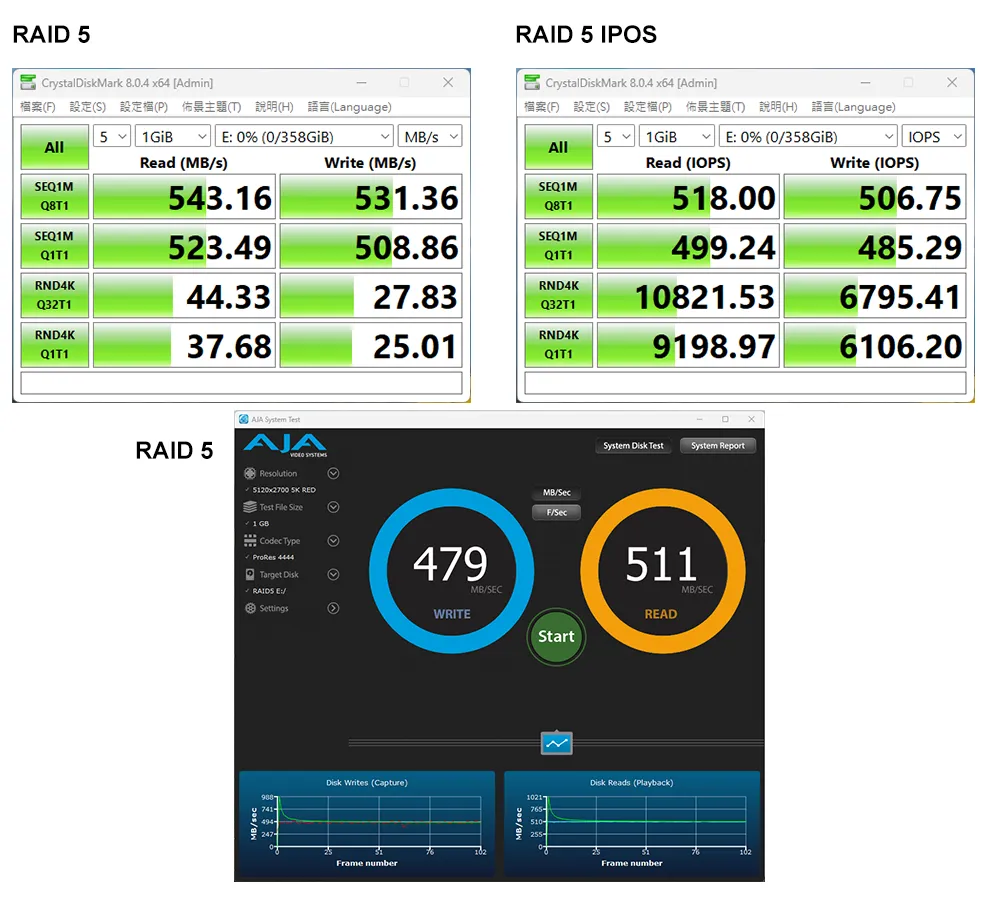
Performance test result for reference. The test result will vary depend on the test environment.
Product View
Specification
| Model No | iR5740M |
|---|---|
| Product Type | 4-bay M.2 SATA SSD internal hardware RAID module |
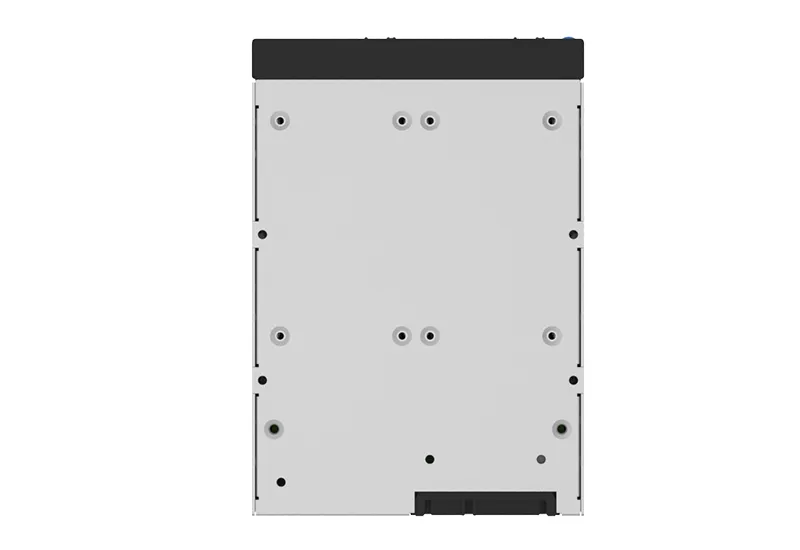
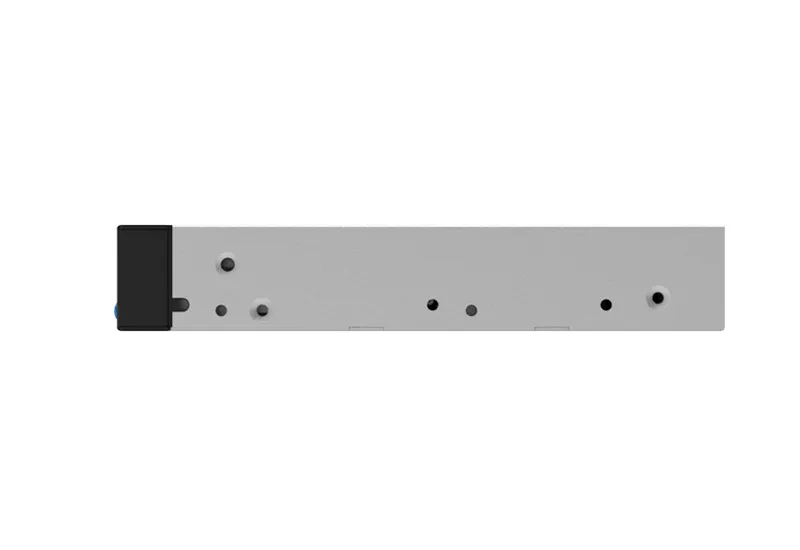
| Installation Form Factor | Standard 3.5-inch drive bay |
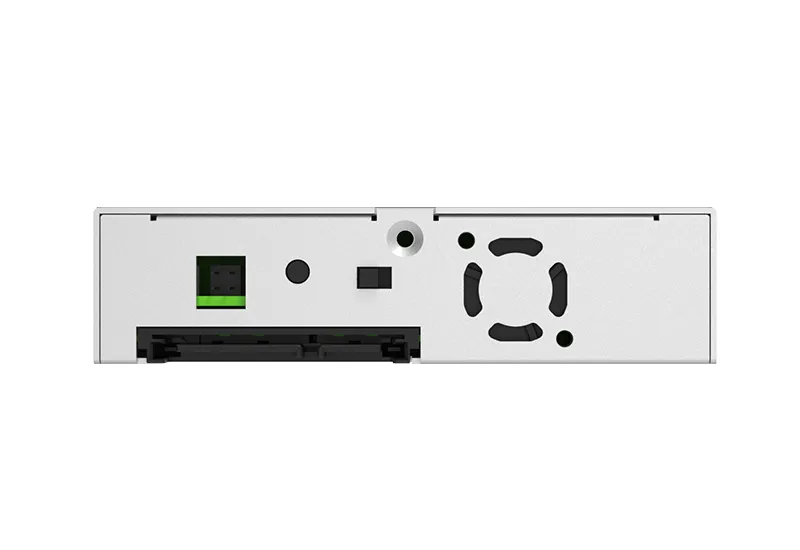
| Host Interface | 1 × SATA III 6Gb/s, 7-pin connector with locking latch |
| Supported Drives | 4 × M.2 SATA SSDs |
| Supported SSD Sizes | 2230 / 2242 / 2260 / 2280 |
| RAID Modes | RAID 0 / RAID 5 / BIG / JBOD |
| RAID Architecture | Built-in hardware RAID controller |
| Power Input | 15-pin SATA power connector |
| Drive Trays | Front-accessible, removable, lockable, and hot-swap capable |
| System Monitoring | Drive activity, drive failure, overtemperature, and fan-failure indications |
| Audible Alert | Buzzer with mute function |
| Cooling System | 20 mm fan with high and low speed settings |
| Operating-System Support | Windows and Linux |
| GUI Monitoring | RAIDON STATUSGUARD GUI software for Windows OS |
| Certifications | CE / FCC / RoHS |
| Dimensions | 101.6 × 146 × 25.6 mm (L x W x H) |
| Weight | Approximately 0.8 kg, excluding SSDs |
| Carton Quantity | 10 units per carton |
| Package Contents | • SATA data cable × 1 • Tray keys × 4 • Accessory kits × 3 • Quick Installation Guide × 1 |
RaidonTek.com (raidon.com.tw) uses cookies to improve site functionality and your overall experience by storing necessary information for service delivery. By continuing, you consent to our use of cookies as detailed in our Privacy Policy, which provides more information about this usage. (Accept cookies to continue browsing the website)