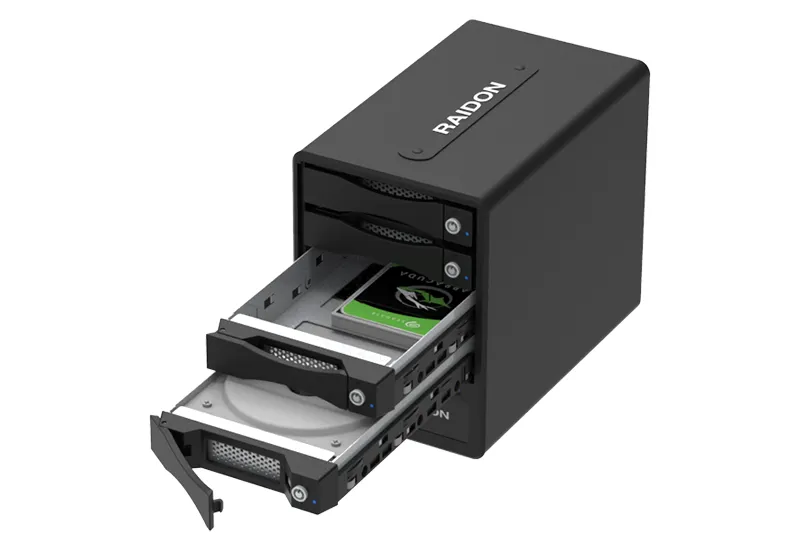
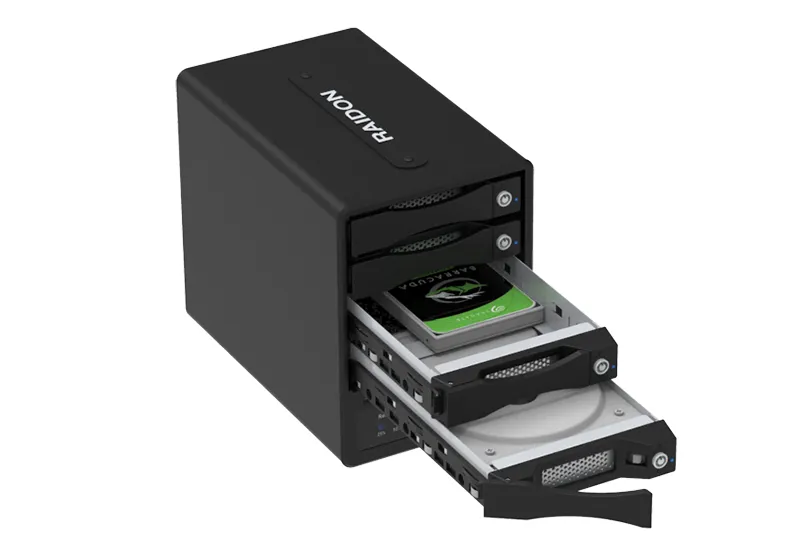
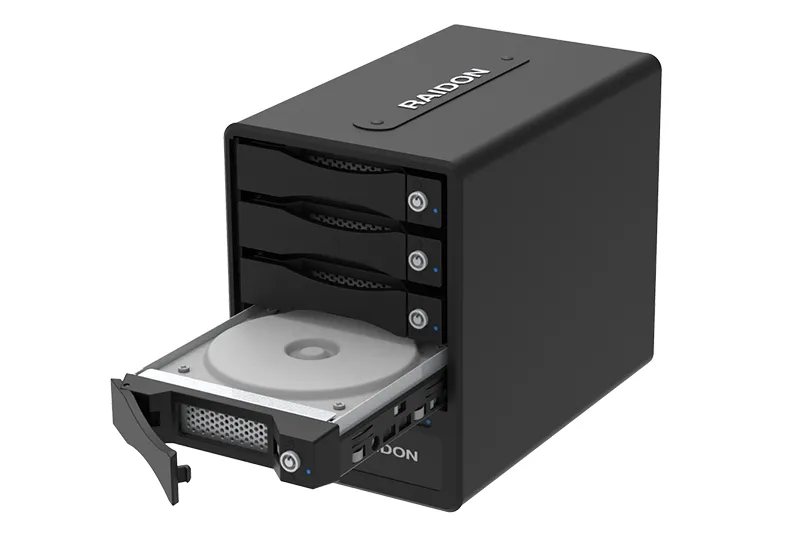
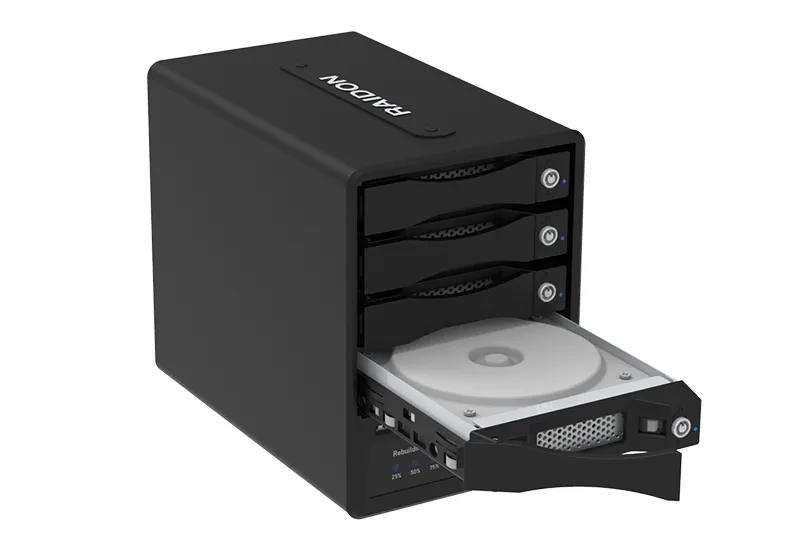
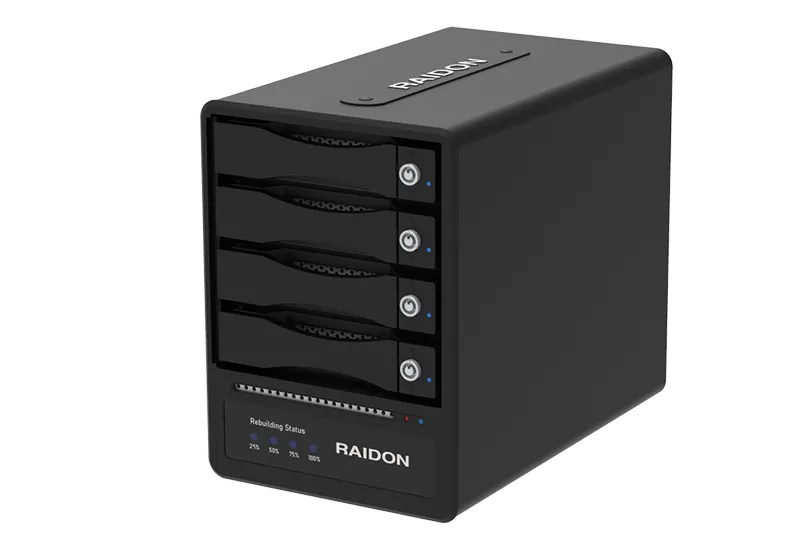
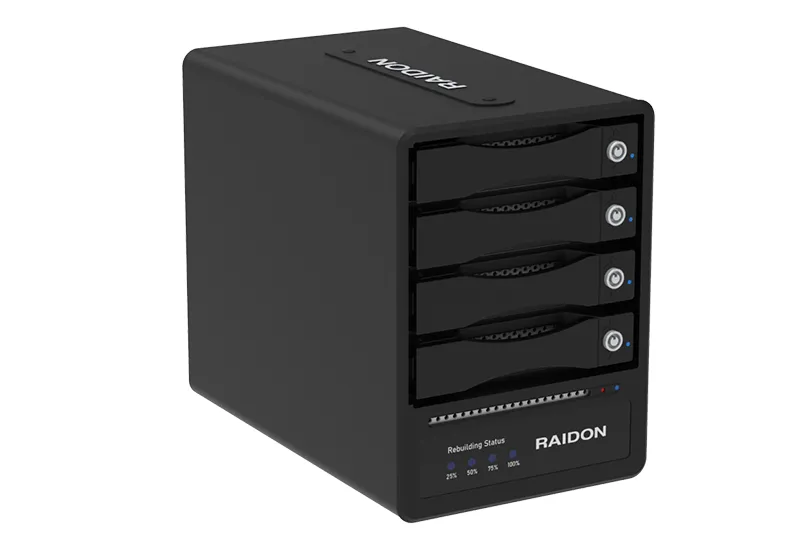
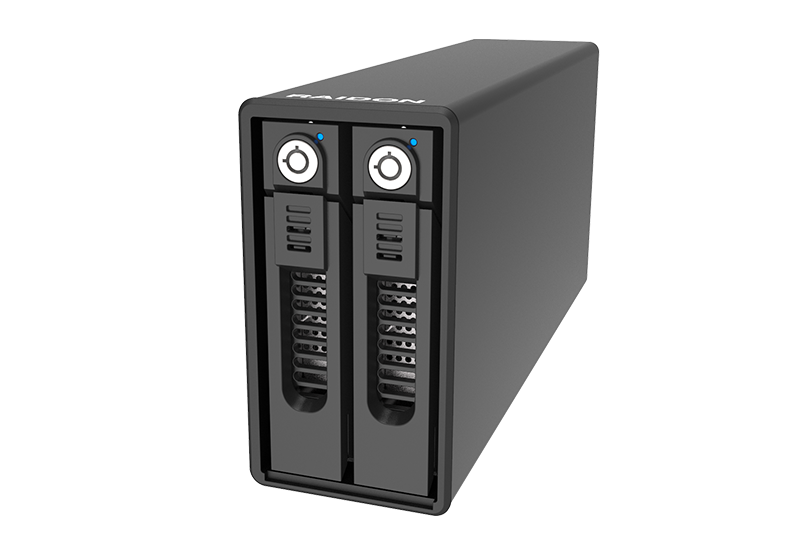
GR5640-B32A: 4-Bay Hardware RAID 5 Storage for USB-A Hosts
USB-A Ready | Hardware RAID 5 | Lockable Full-Metal Drive Trays
Overview
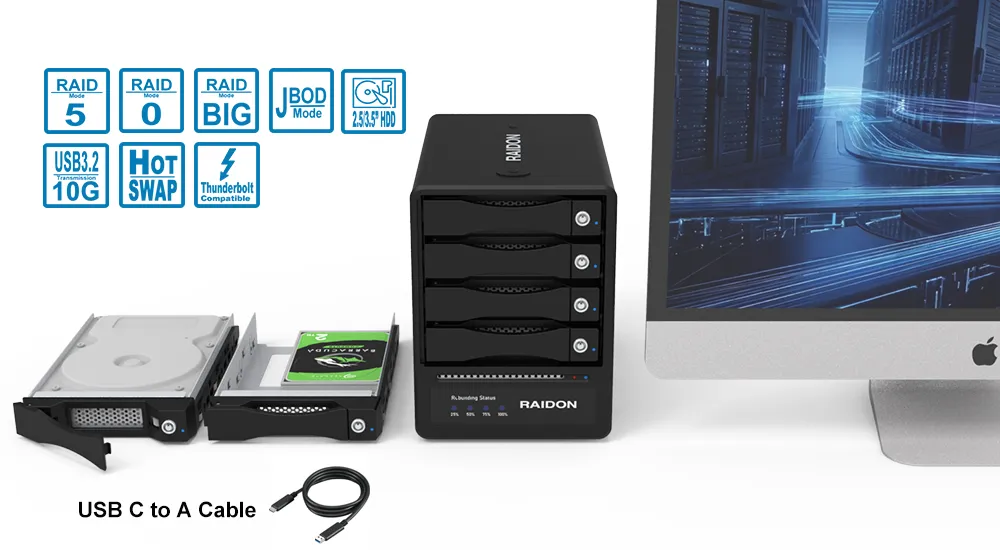
The GR5640-B32A is a 4-bay hardware RAID 5 DAS enclosure designed for users who need reliable direct-attached storage on USB-A desktops, workstations, and professional systems. With the included USB-C to USB-A cable, it adds protected RAID storage to existing computers without requiring a host upgrade.
Built with an aluminum chassis, lockable full-metal trays, active cooling, and a dedicated hardware RAID controller, the GR5640-B32A supports RAID 5, RAID 0, JBOD, and BIG for backup, archive, media, engineering, surveillance, and project storage.
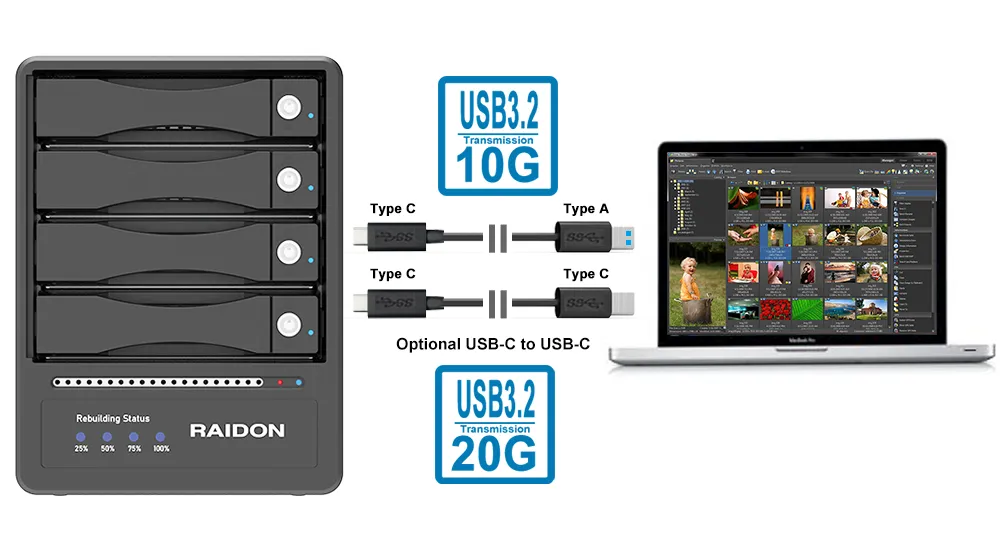
With compatible USB 3.2 Gen 2 USB-A hosts, it supports up to 10Gbps link speed. With a separate USB-C to USB-C cable, it can also support up to 20Gbps on compatible USB 3.2 Gen 2x2 USB-C hosts.
Key Features
1. USB-A Ready for Existing Systems
Add high-capacity RAID storage to desktops, workstations, industrial PCs, and professional systems with standard USB-A ports.
● USB-C to USB-A cable included
● Up to 10Gbps with compatible USB 3.2 Gen 2 USB-A hosts
● No need to replace the current host computer
● Optional USB-C to USB-C connection supports up to 20Gbps on compatible USB 3.2 Gen 2x2 hosts
2. Dedicated Hardware RAID 5
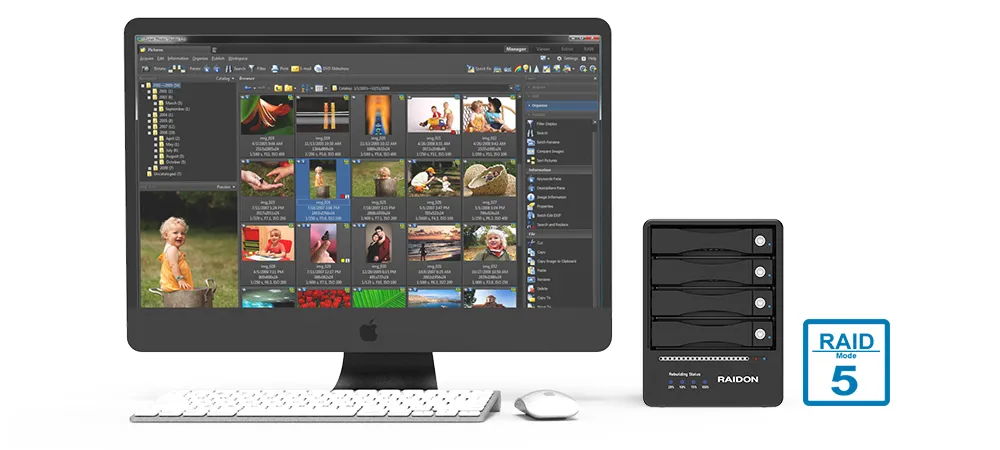
The built-in RAID controller manages RAID processing independently of the host computer, reducing reliance on software RAID, operating-system setup, or CPU resources.
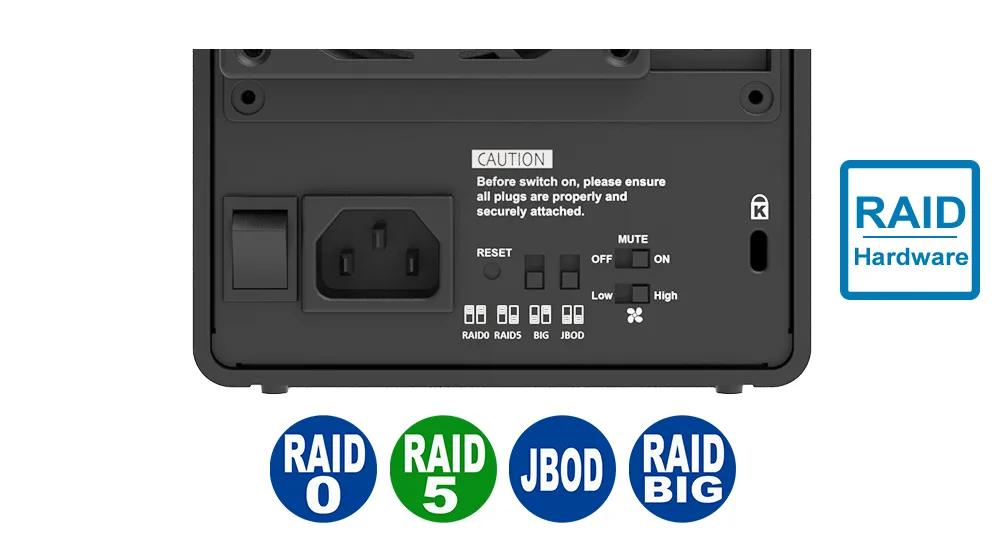
● Supports RAID 5, RAID 0, JBOD, and BIG
● RAID 5 provides single-drive fault tolerance
● RAID volume can remain accessible after one drive failure
● Rebuild starts after a compatible replacement drive is installed
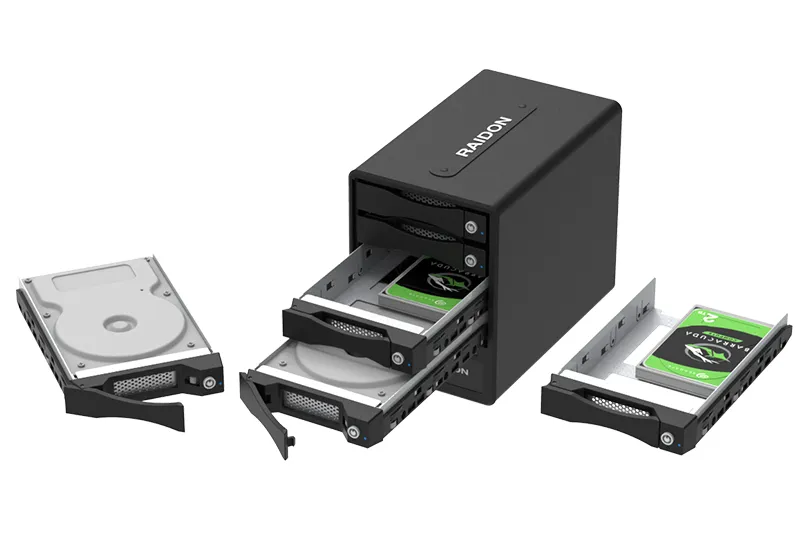
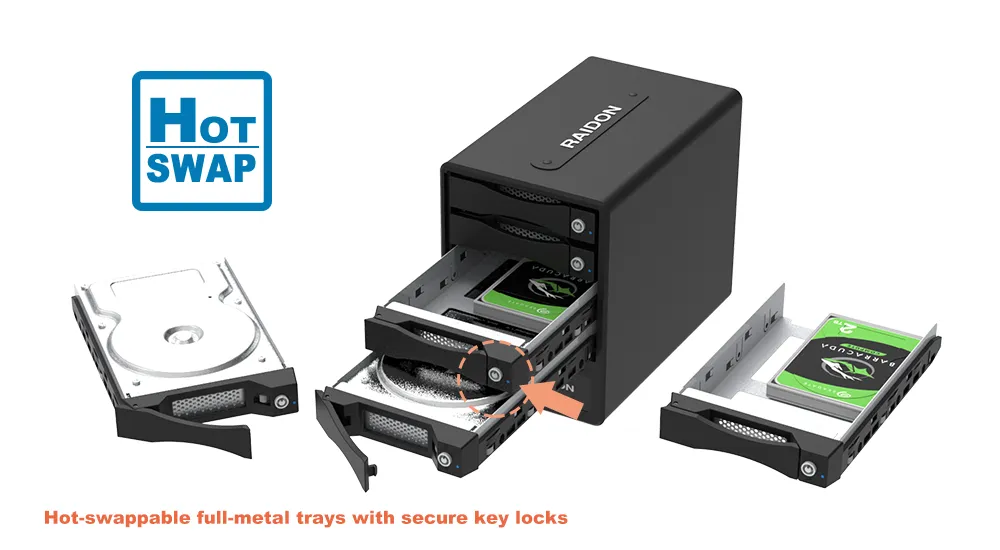
3. Lockable Hot-Swappable Full-Metal Trays
Front-access trays make drive installation, replacement, and rotation easier while helping prevent accidental drive removal.
● Full-metal tray design
● Individual key locks
● Hot-swappable front access
● Suitable for backup, archive, and shared work environments
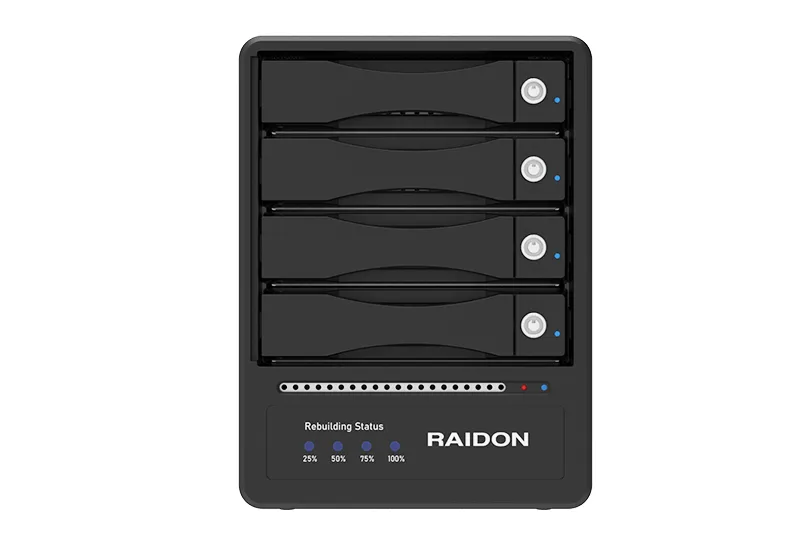
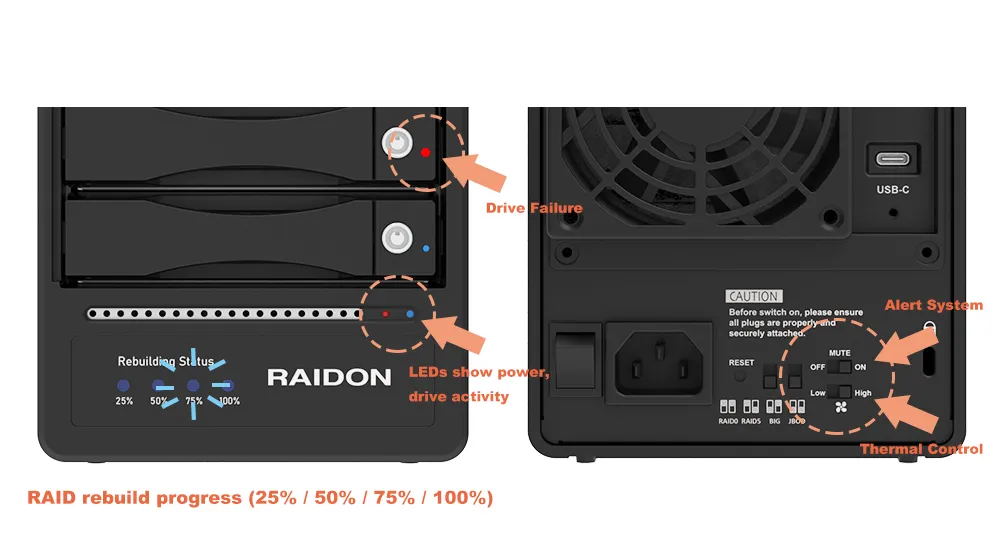
4. Status and Rebuild Monitoring
Clear hardware indicators help users monitor the RAID enclosure without relying only on software.
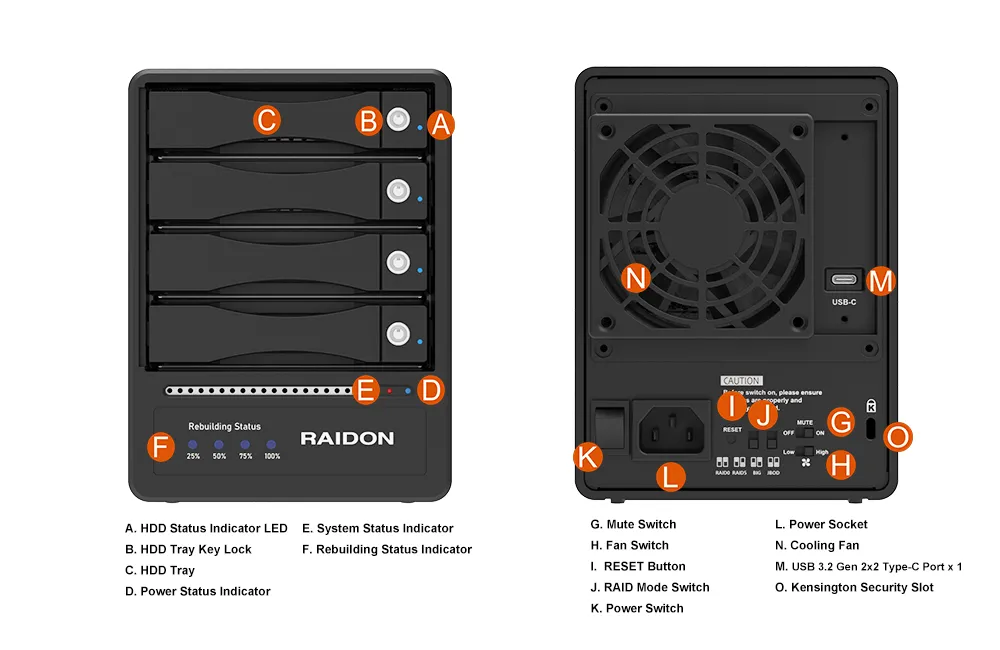
● Power and drive activity LEDs
● Drive failure alerts
● Rebuild progress: 25%, 50%, 75%, and 100%
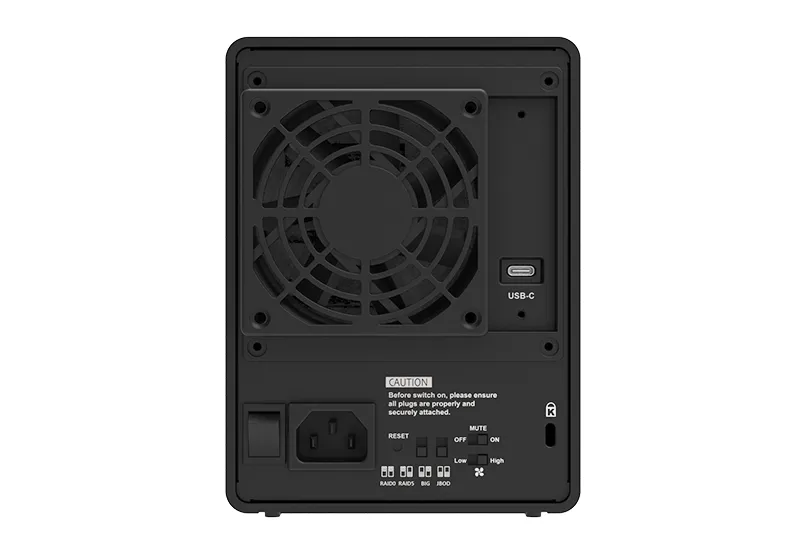
● Buzzer alert with physical mute control
● Overheat and fan-failure alerts
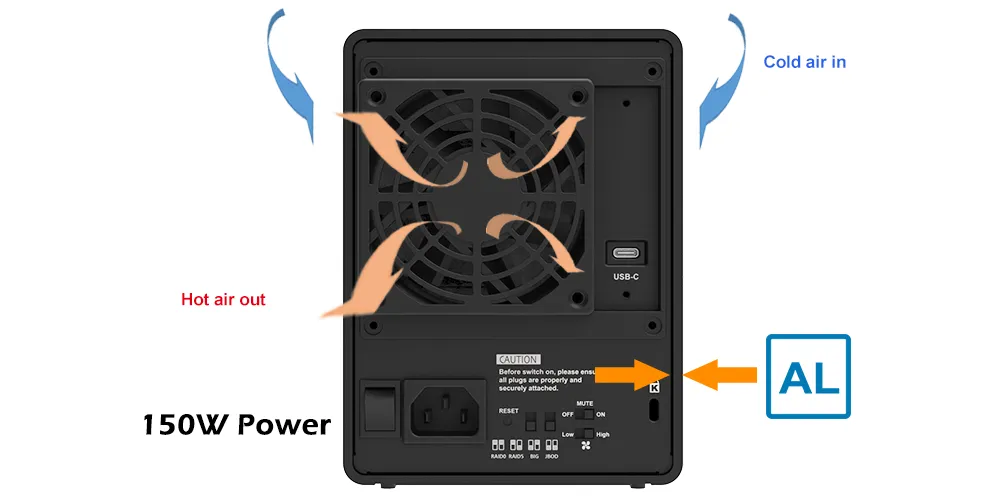
5. Active Cooling and Internal Power
Designed for stable four-drive operation during backup, archive, and data-transfer workloads.
● 80mm cooling fan
● High/Low fan-speed control
● Aluminum chassis with active cooling
● Internal 150W power supply
● AC 100–240V, 50/60Hz support
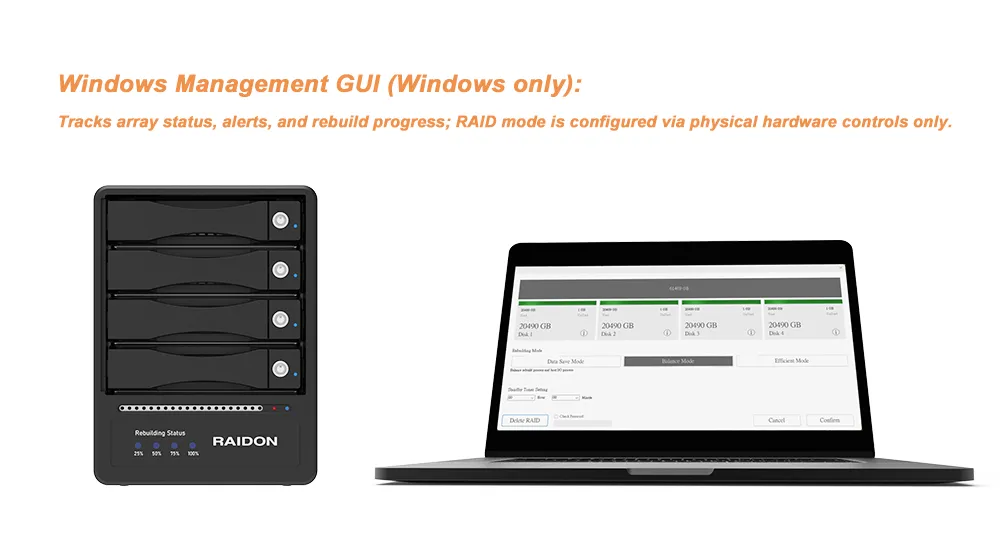
6. Windows Monitoring Utility
Windows users can monitor RAID status, rebuild progress, and system alerts through the supported GUI utility. RAID mode configuration remains controlled by the enclosure hardware for simple and reliable setup.
7. Cross-Platform and Mobile Workflow Support
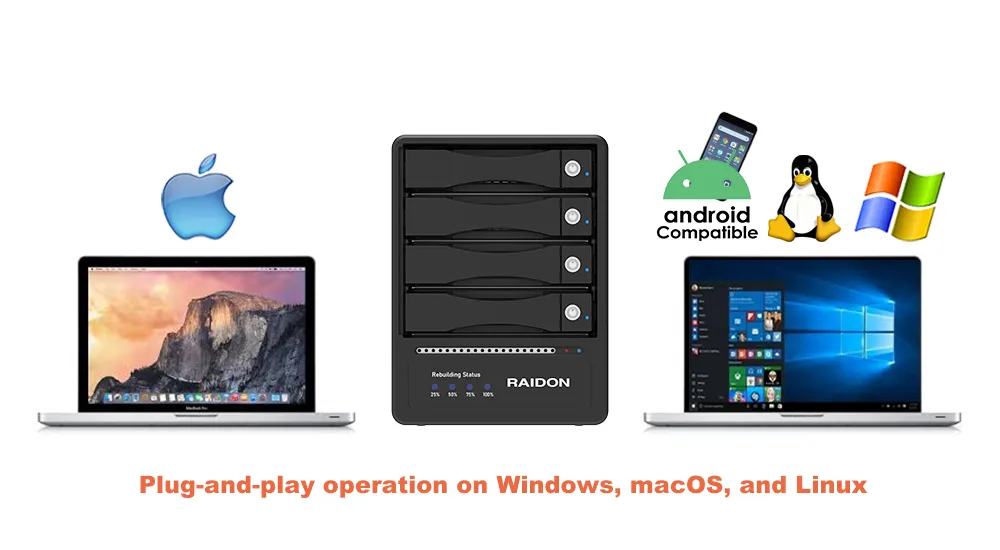
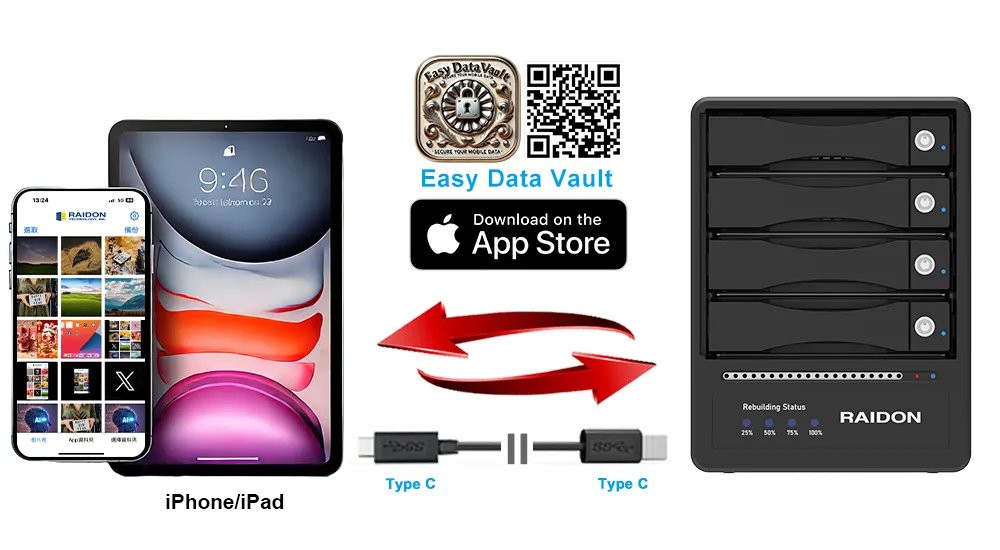
The GR5640-B32A supports Windows, macOS, and Linux systems. With a separate USB-C to USB-C cable, it can also support Easy Data Vault backup and restore workflows on compatible USB-C iPhone and iPad models.
Compatibility depends on the host device, operating system, cable, filesystem, and application support.
Why Choose the GR5640-B32A?
|
Key Need |
GR5640-B32A Advantage |
|---|---|
|
Add RAID storage to USB-A systems |
USB-C to USB-A cable included |
|
Protect project and backup data |
Hardware RAID 5 with rebuild support |
|
Build large storage capacity |
Supports four SATA HDDs/SSDs |
|
Reduce accidental drive removal |
Lockable full-metal trays |
|
Simplify maintenance |
Front LEDs, buzzer alerts, and rebuild indicators |
|
Support extended workloads |
150W internal PSU and 80mm active cooling |
|
Avoid software RAID complexity |
Dedicated hardware RAID controller |
Built for Practical Storage Workflows
The GR5640-B32A is designed for users who need more than basic external storage. It provides hardware RAID protection, front-access serviceability, visible system alerts, and high-capacity expansion in one USB RAID 5 enclosure.
● Create a large RAID 5 backup or archive volume with four SATA HDDs.
● Use SATA SSDs for faster media access, project storage, or data-transfer workflows.
● Use lockable trays for safer drive rotation, shared work areas, and archive management.
● Use front LEDs and buzzer alerts to monitor drive failure, rebuild progress, and system events.
RAID 5 Capacity Examples
|
Installed Drives |
RAID 5 Usable Capacity |
|
4 × 4TB drives |
12TB |
|
4 × 8TB drives |
24TB |
|
4 × 16TB drives |
48TB |
|
4 × 20TB drives |
60TB |
RAID 5 usable capacity is calculated as:
3 × the smallest installed drive capacity
Applications
● USB-A Workstation Storage Upgrade: Add RAID 5 DAS storage to existing desktops and workstations without replacing the host system.
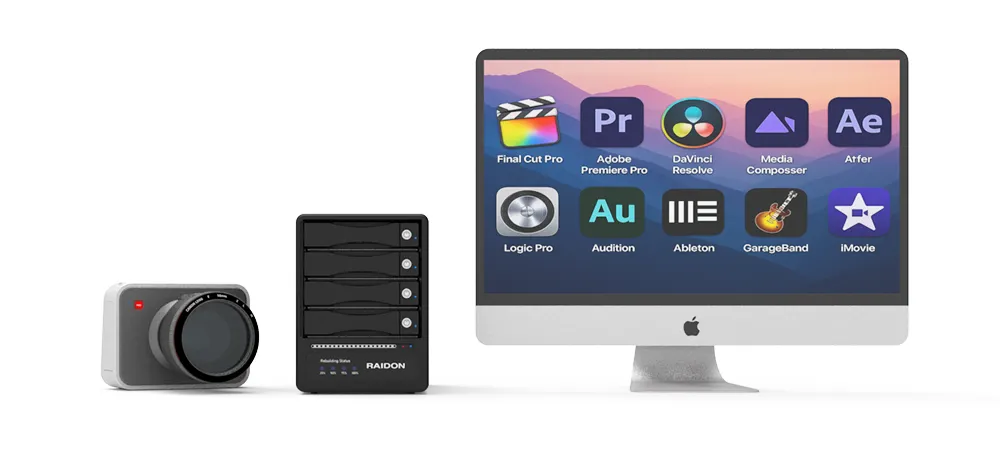
● Creative Project Storage and Backup: Store photos, videos, editing projects, and completed media files in a protected external RAID enclosure.
● Engineering and Research Data: Manage CAD files, simulation data, test results, and lab records with local RAID protection.
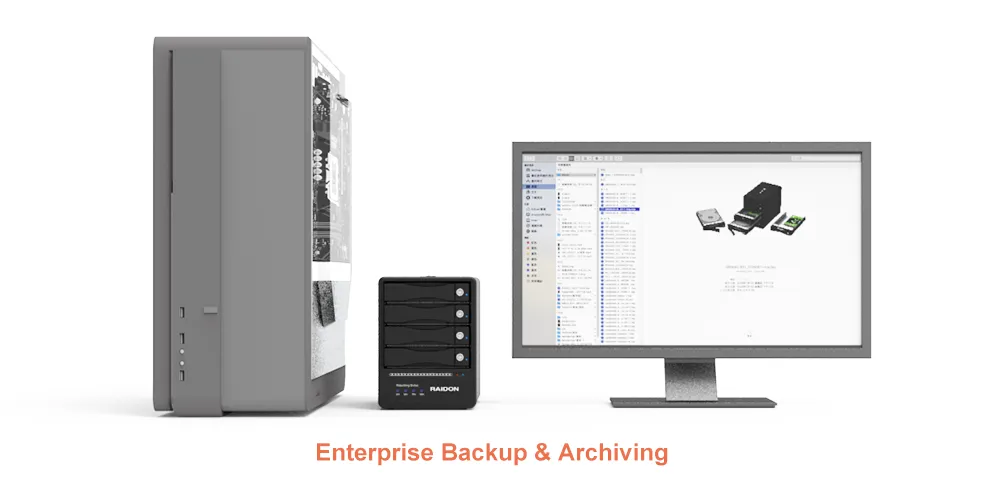
● Business Backup Destination: Use as direct-attached backup storage for Windows, macOS, or Linux systems.
● Archive and Drive Rotation: Use lockable trays for organized archive storage, drive replacement, and scheduled rotation.
● Video and Surveillance Archive: Store surveillance footage, video files, and long-term records in a high-capacity RAID storage enclosure.
● USB-C Expansion Option: Connect to compatible USB-C or Thunderbolt™ 3/4/5 hosts operating in USB mode with a separate USB-C to USB-C cable.
Comparison: GR5640-B32A vs. GR5640-BA32 vs. GR5640-B32
|
Feature |
GR5640-B32A |
GR5640-BA32 |
GR5640-B32 |
|---|---|---|---|
|
Product Focus |
USB-A host systems |
Mixed USB-C and USB-A workflows |
USB-C 20Gbps workflows |
|
Included Cable |
USB-C to USB-A |
USB-C to USB-C and USB-C to USB-A |
USB-C to USB-C |
|
USB-A Host Support |
Included cable |
Included cable |
Requires optional USB-C to USB-A cable |
|
USB-C Host Support |
Requires separate USB-C to USB-C cable |
Included cable |
Included cable |
|
Typical USB-A Link Speed |
Up to 10Gbps with compatible USB-A Gen 2 hosts |
Depends on optional cable and host support |
|
Typical USB-C Link Speed |
Up to 20Gbps with compatible USB-C Gen 2x2 hosts and separate cable |
Up to 20Gbps with compatible USB-C Gen 2x2 hosts |
|
Thunderbolt™ Host Support |
USB mode with separate USB-C to USB-C cable |
USB mode with USB-C to USB-C cable |
|
Mobile Backup Support |
Separate USB-C to USB-C cable required |
USB-C to USB-C cable included |
|
Drive Trays |
Lockable full-metal trays |
|
RAID Modes |
RAID 0, RAID 5, JBOD, BIG |
Frequently Asked Questions (FAQ)
Q1. How is the GR5640-B32A different from the GR5640-BA32 and GR5640-B32?
The GR5640-B32A is designed for USB-A host systems and includes a USB-C to USB-A cable.
The GR5640-BA32 is designed for mixed USB-C and USB-A workflows and includes both USB-C to USB-C and USB-C to USB-A cables.
The GR5640-B32 is designed for USB-C workflows and includes a USB-C to USB-C cable.
Q2. What computers is the GR5640-B32A designed for?
It is designed for desktops, workstations, and professional systems with standard USB-A ports. It is ideal for users who want RAID 5 storage without replacing or upgrading their existing computer.
Q3. What speed can I expect through USB-A?
With the included USB-C to USB-A cable, the GR5640-B32A supports up to 10Gbps host link speed on compatible USB 3.2 Gen 2 USB-A ports. Actual performance depends on the host, cable, drives, RAID mode, filesystem, and workload.
Q4. Can the GR5640-B32A support 20Gbps?
Yes. The enclosure can support up to 20Gbps when connected to a compatible USB 3.2 Gen 2x2 USB-C host using a separate USB-C to USB-C cable.
Q5. Does the GR5640-B32A support RAID 5?
Yes. It supports RAID 5, RAID 0, JBOD, and BIG. RAID 5 provides a balance of capacity, performance, and protection by maintaining volume access after one drive failure.
Q6. What happens if a drive fails in RAID 5 mode?
The array enters a degraded state, but the RAID volume can remain accessible. After a compatible replacement drive is installed, the system rebuilds the array to restore redundancy.
Q7. Does the GR5640-B32A work with USB-C or Thunderbolt™ 3/4/5 hosts?
Yes. It can connect to compatible USB-C or Thunderbolt™ 3/4/5 hosts operating in USB mode when using a separate USB-C to USB-C cable. It is not a native Thunderbolt storage device.
Q8. Does the GR5640-B32A support mobile backup?
Yes. It supports Easy Data Vault backup and restore workflows on compatible USB-C iPhone and iPad models when using a separate USB-C to USB-C cable. Compatibility depends on the device, operating system, application, cable, and storage format.
Q9. Is RAID 5 the same as backup?
No. RAID 5 protects against one drive failure, but it does not replace a separate backup. Important data should also be stored on another device or in another location.
Q10. Can users mix different drive capacities?
Compatible SATA HDDs or SSDs may be used, but drives of the same model, capacity, and performance class are recommended. In RAID 5, usable capacity is based on the smallest installed drive.

GR5640-B32A — RAID 5 protection for USB-A workstations, with the flexibility to support USB-C 20Gbps workflows when needed.
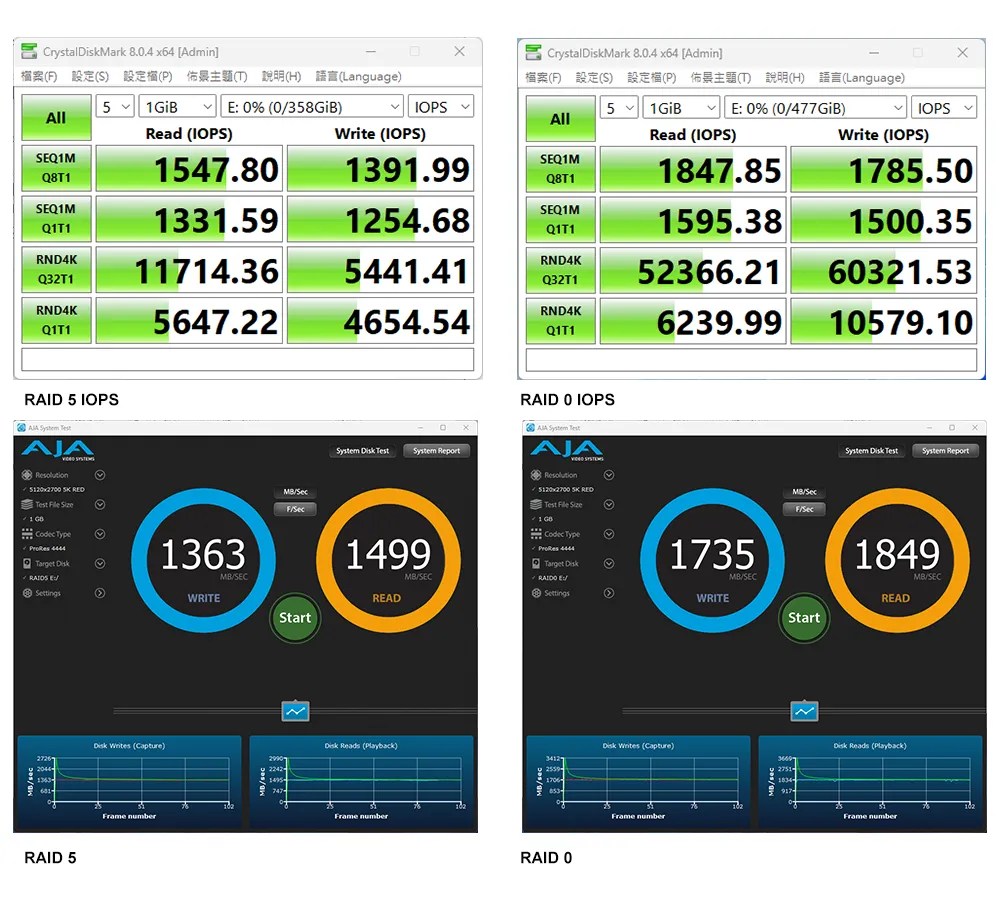
Performance test result for reference. The test result will vary depend on the test environment.
Actual performance depends on the host port, cable, installed drives, RAID mode, filesystem, and workload. RAID is not a substitute for an independent backup.
Note: The test was using a separate USB-C to USB-C cable with USB 20Gbps host.
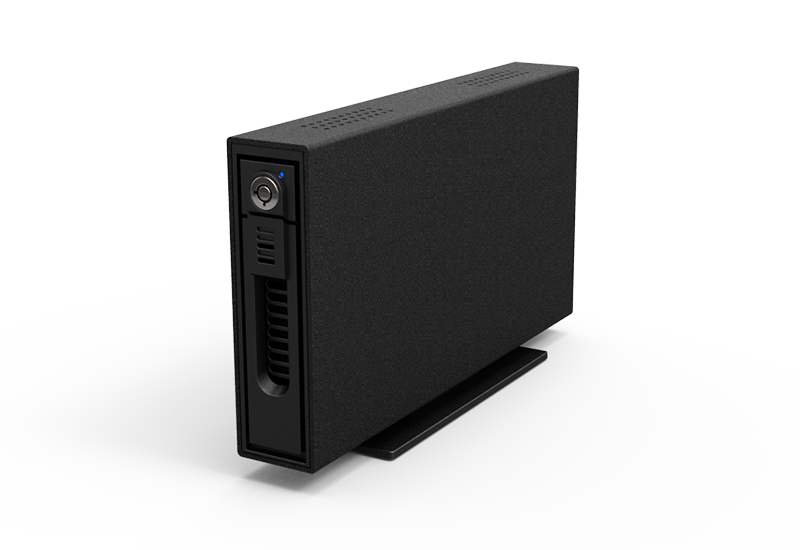
Product View
Specification
| Model No | GR5640-B32A |
|---|---|
| Supported Drives | 4 × 3.5-inch or 2.5-inch SATA HDDs/SSDs |
| Drive Interface | SATA III 6Gb/s |
| RAID Modes | RAID 0, RAID 5, BIG, JBOD |
| Drive Trays | Hot-swappable full-metal trays with key locks |
| Host Compatibility | USB-A hosts with included cable; USB-C hosts with separate USB-C to USB-C cable |
| Thunderbolt™ Host Compatibility | Thunderbolt™ 3/4/5 USB-C ports operating in USB mode with separate USB-C to USB-C cable |
| Operating System Support | Windows 7 or later, macOS 10.10 or later, Linux |
| Monitoring Software | Windows GUI monitoring utility |
| Status Indicators | Power, drive activity, drive failure, rebuild progress, overheat, fan failure |
| Rebuild Indicators | 25%, 50%, 75%, and 100% |
| Audible Alert | Buzzer with mute control |
| Cooling System | 80mm fan with High/Low speed control |
| Chassis | Aluminum chassis with active cooling |
| Power Supply | Internal 150W |
| Power Input | AC 100–240V, 50/60Hz |
| Dimensions | 210 x 124 x 166 mm (L x W x H) |
| Packaged Weight | Approximately 3.4 kg per unit, excluding drives |
| Certifications | CE, FCC, RoHS |
| Carton Quantity | 4 units per carton |
| Included Accessories | • 1x USB-C to USB-A Cable • 1x Power Cord • 1x Accessory Kit (Drive Screws, Keys) • 1x Quick Installation Guide |
| GR5640-B32A | GUI Software for Windows Easy Data Vault App for iOS |
RaidonTek.com (raidon.com.tw) uses cookies to improve site functionality and your overall experience by storing necessary information for service delivery. By continuing, you consent to our use of cookies as detailed in our Privacy Policy, which provides more information about this usage. (Accept cookies to continue browsing the website)