RAIDON iR5440H — Compact 4-Bay Hardware RAID 5 + Hot Spare Module


RAID 5 Protection with Continuous Rebuild Readiness


Compact 1U ODD Form Factor | 4 × 2.5" SATA HDD/SSD | Dedicated Hot Spare with Automatic Rebuild


Overview


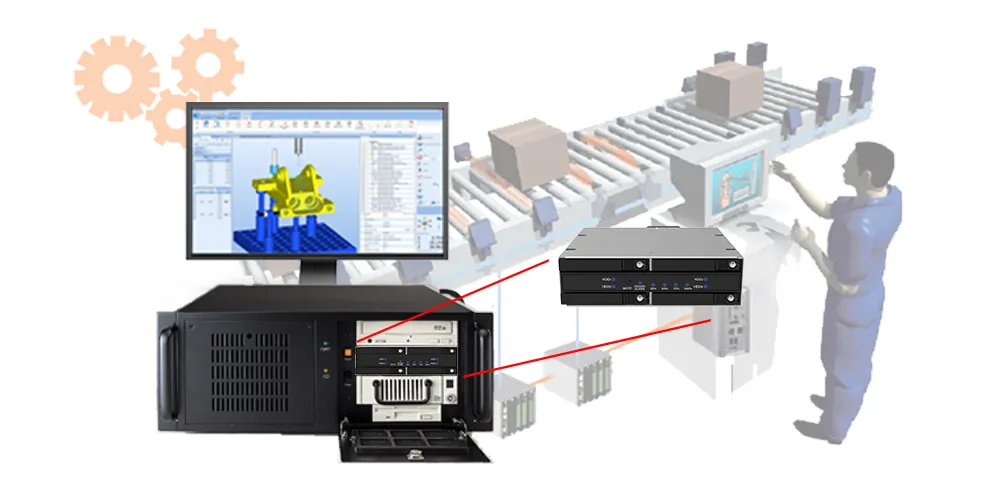
The RAIDON iR5440H is a compact four-bay hardware RAID module designed for industrial PCs, embedded systems, edge servers, surveillance platforms, and professional workstations requiring reliable local storage in a limited space.


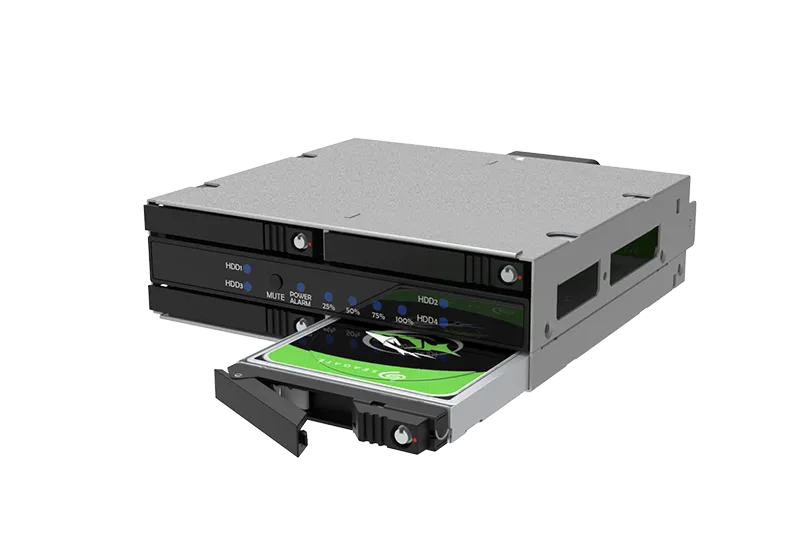
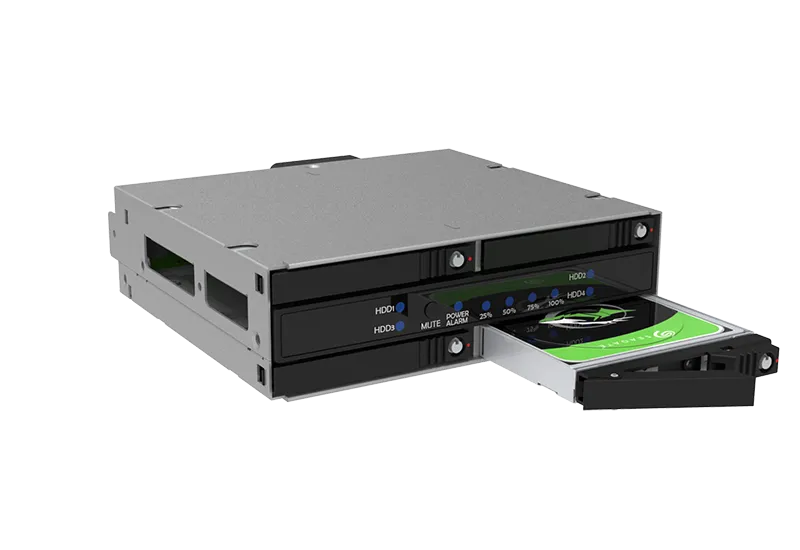
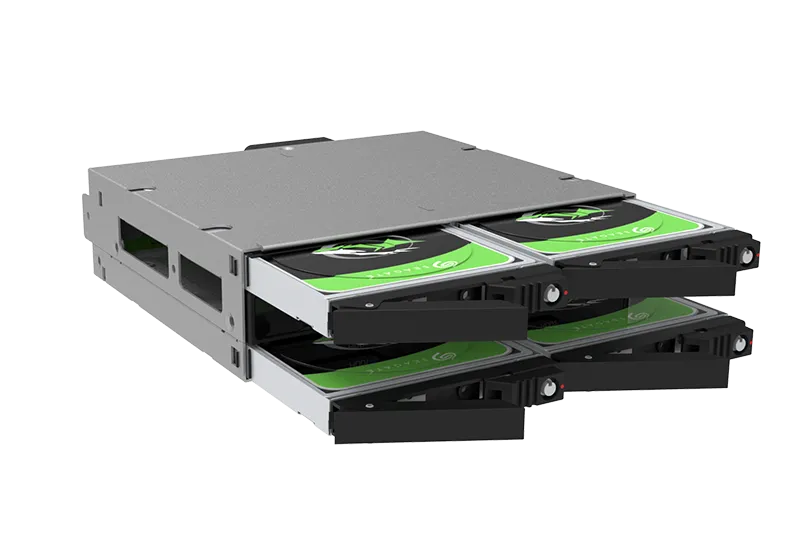
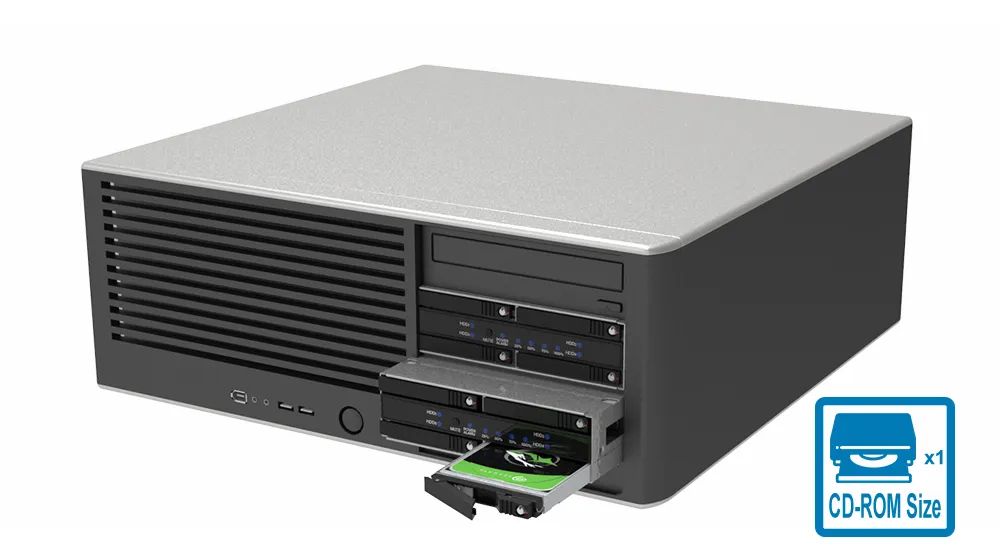
Designed for a standard 5.25-inch drive bay / 1U ODD form factor, it supports four hot-swappable 2.5-inch SATA HDDs or SSDs and combines RAID 5 with a dedicated Hot Spare. Active cooling, lockable trays, rebuild indicators, system alerts, and Windows-based STATUSGUARD monitoring simplify system integration and maintenance.


RAID 5 + Hot Spare protects against one active-drive failure but does not provide dual-drive fault tolerance or replace an independent backup.


Why iR5440H?


SSDs used in industrial and continuous-operation systems may fail with limited warning, while immediate on-site replacement is not always possible. A conventional RAID 5 array remains in a degraded state until a technician installs a new drive, extending its exposure to a second drive failure.


The iR5440H keeps a dedicated Hot Spare ready inside the system. If an active drive fails, rebuilding begins automatically on the Hot Spare. After rebuilding is complete and the failed drive is replaced, the newly inserted drive automatically becomes the next Hot Spare.


Choose the iR5440H when shorter degraded-state exposure, automatic rebuild readiness, and reduced dependence on immediate on-site service are more important than maximizing usable RAID 5 capacity.


Features


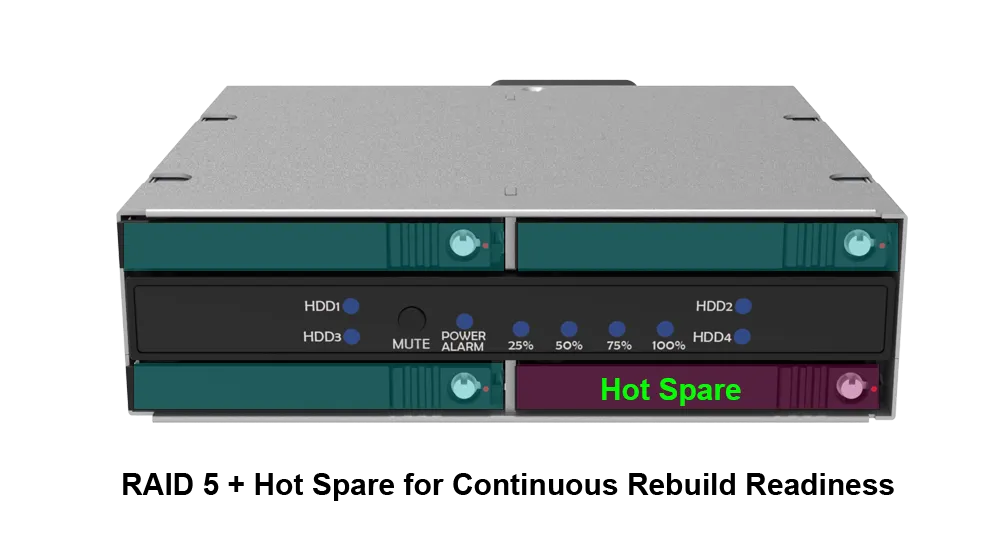
1. RAID 5 + Hot Spare for Continuous Rebuild Readiness


Three drives form the RAID 5 array, while the fourth serves as a dedicated Hot Spare. If an active drive fails, rebuilding begins automatically on the Hot Spare. After rebuilding is complete and the failed drive is replaced, the new drive automatically becomes the next Hot Spare.


2. Four 2.5-Inch SATA Drives in a Compact 1U ODD Form Factor


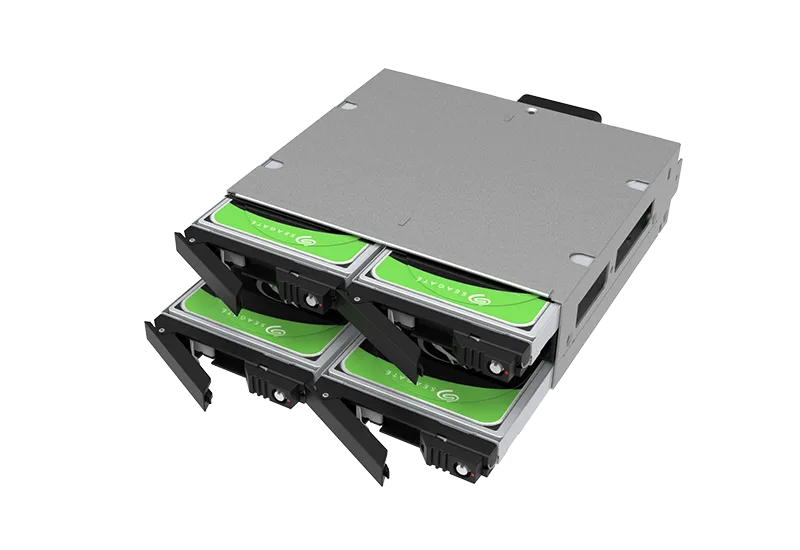
The iR5440H accommodates four 2.5-inch SATA HDDs or SSDs in a space-efficient internal module. Its compact dimensions make it well suited to industrial computers, short-depth systems, embedded platforms, and other installations where internal space is limited.


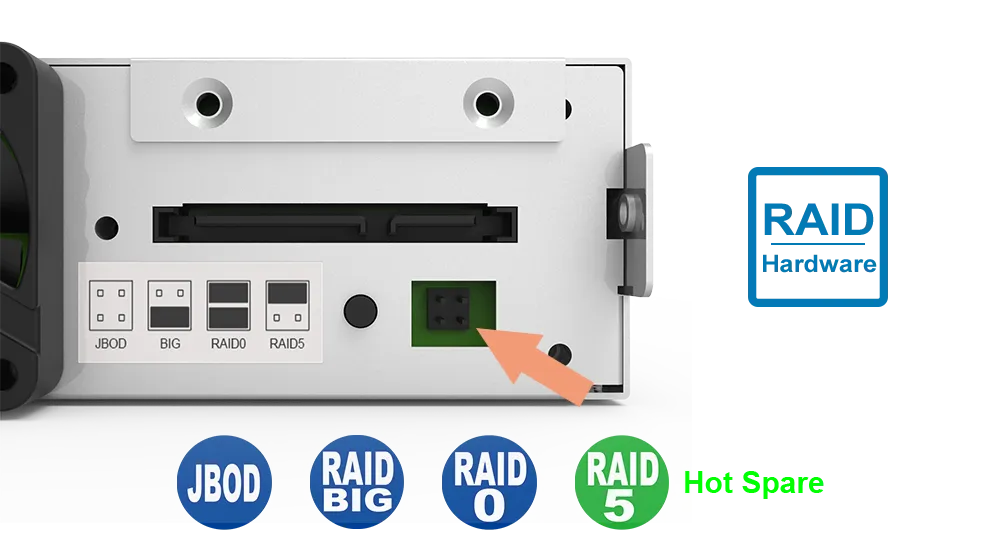
3. Flexible Hardware RAID Modes


The onboard hardware RAID controller supports several storage configurations:


RAID Mode

Best Fit

RAID 5 + Hot Spare

Single-drive fault tolerance with automatic rebuild readiness

RAID 0

Maximum performance without redundancy

BIG

Maximum combined capacity without redundancy

JBOD

Independent drive access; requires SATA Port Multiplier support

4. Single SATA Host Connection


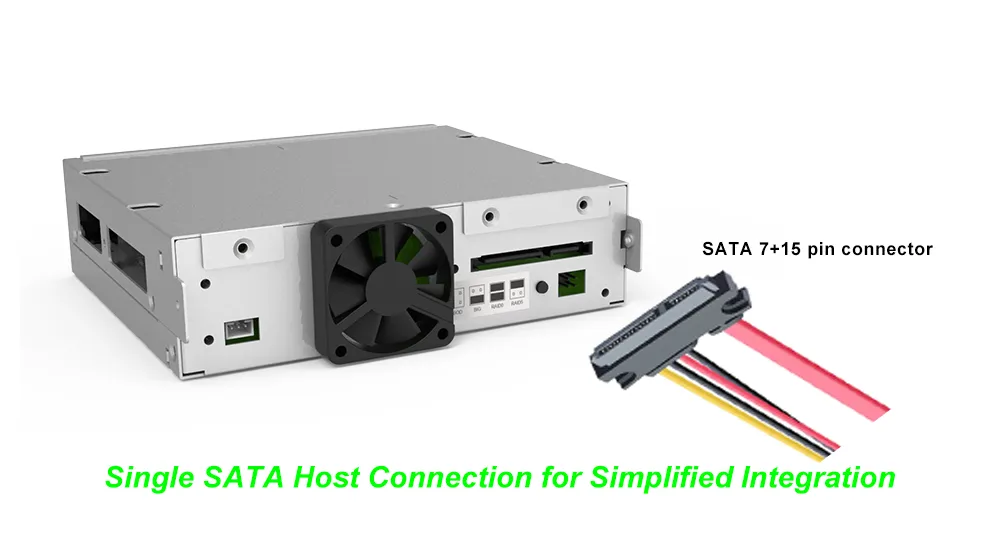
The iR5440H connects to the host through one SATA III 6Gb/s interface. In RAID 0, RAID 5 + Hot Spare, and BIG modes, the hardware RAID controller manages the installed drives and presents the configured storage as a single volume, reducing host-side port and cable requirements.


5. Hot-Swappable, Lockable Full-Metal Drive Trays


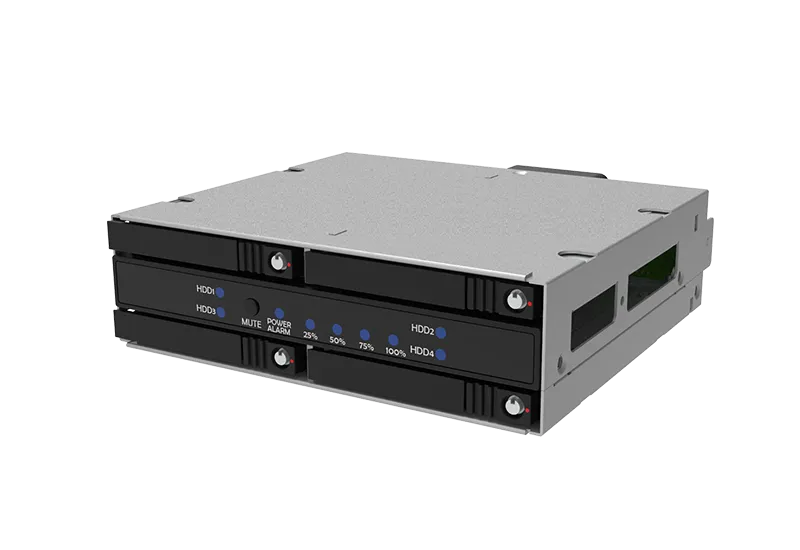
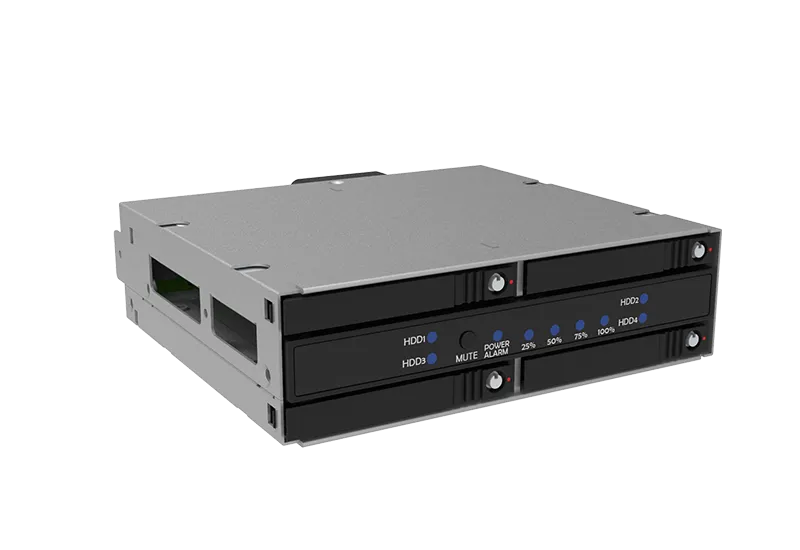
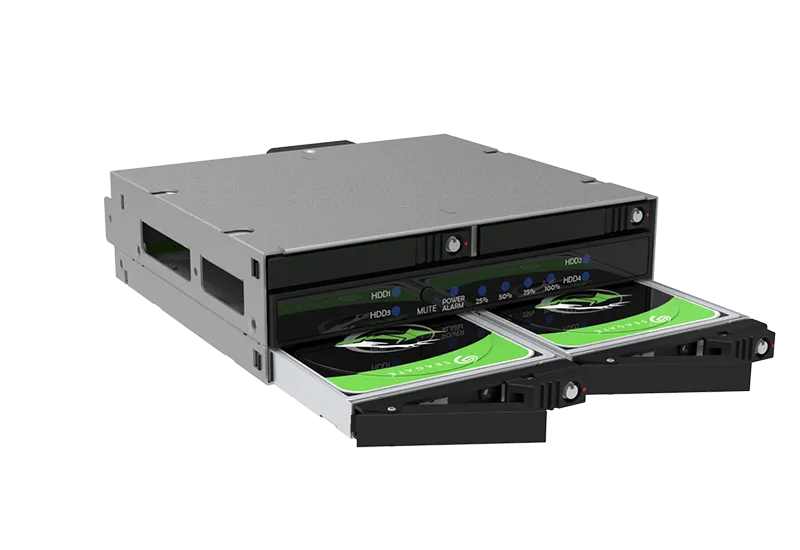
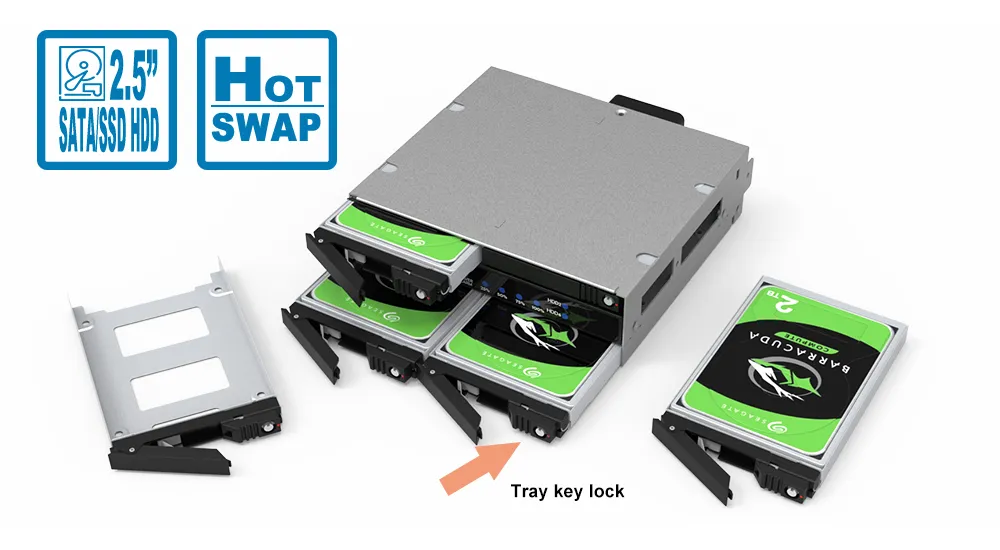
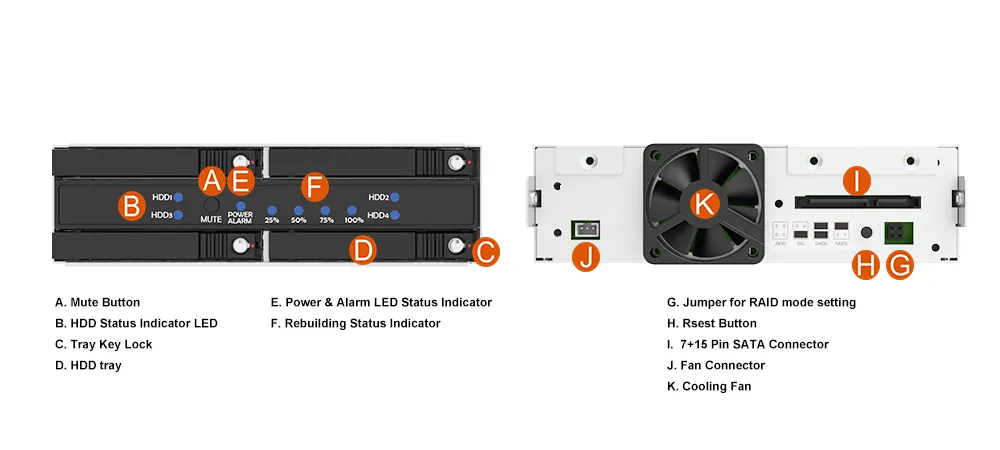
Four removable 2.5-inch drive trays provide front access for easier maintenance. The locking mechanism helps prevent accidental removal, while the full-metal, screw-fixed tray design improves physical stability.

6. Visible RAID Rebuild Progress


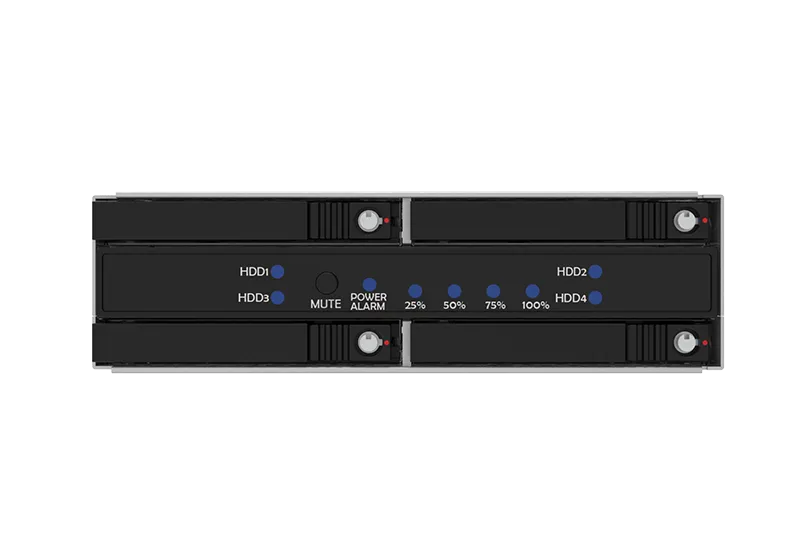
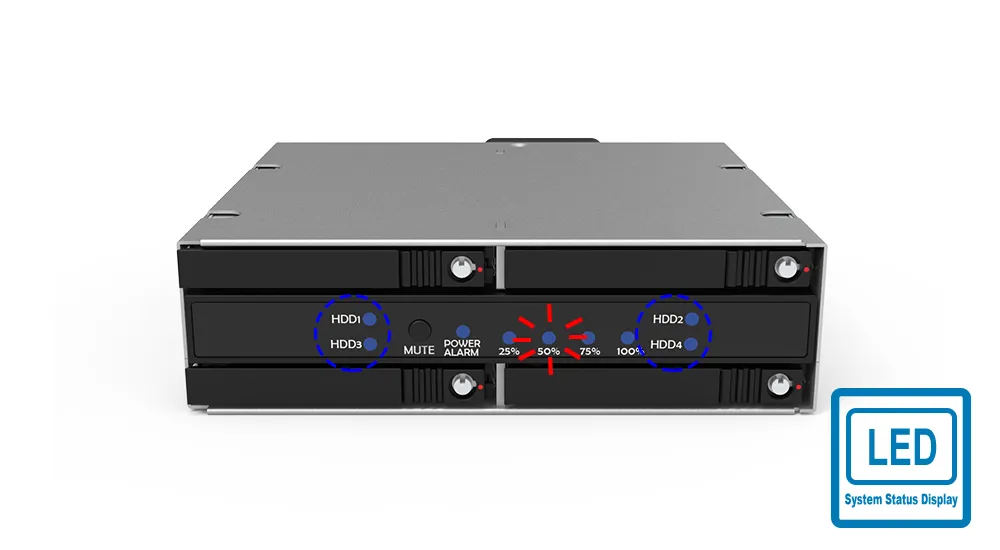
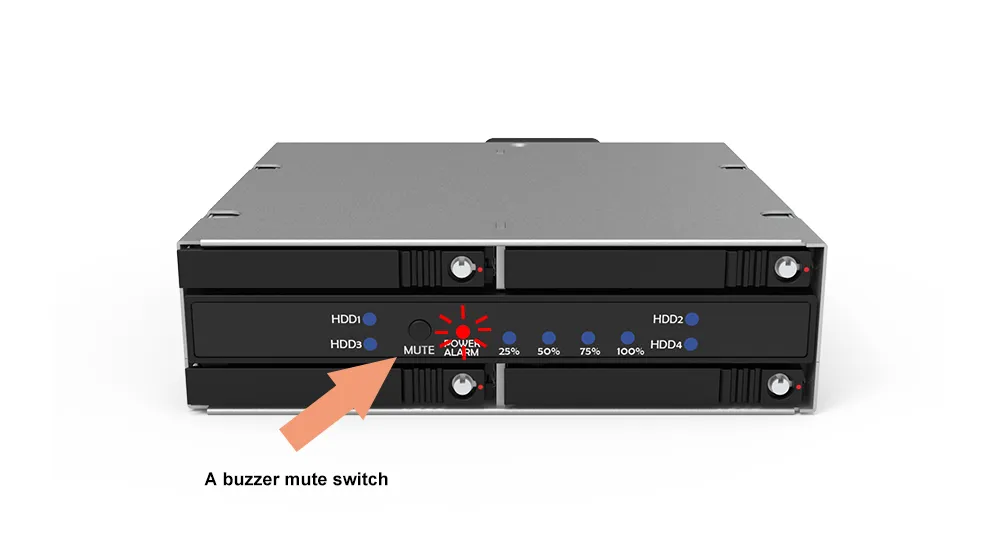
Front-panel LEDs indicate drive activity, drive failure, and RAID rebuild progress. Rebuild status is displayed at 25%, 50%, 75%, and 100%, allowing service personnel to check recovery progress at a glance.


7. STATUSGUARD Monitoring for Windows


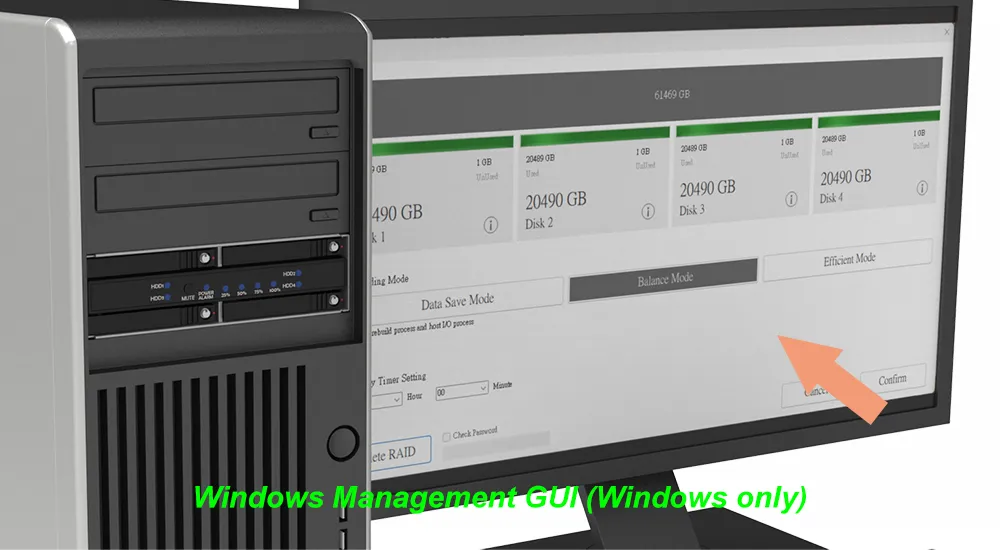
RAIDON STATUSGUARD provides Windows-based monitoring for supported device information, drive health, and event logs. Hot Spare operation is managed automatically by the hardware RAID controller, while drive failure and rebuild progress are shown through the front-panel LEDs.


STATUSGUARD is available for Windows only.


8. Temperature and Fan-Failure Alerts


The iR5440H monitors internal temperature and fan operation. LED and buzzer alerts notify users of overheating or fan failure, helping service personnel identify abnormal conditions promptly.


9. Full-Metal Enclosure with Active Cooling


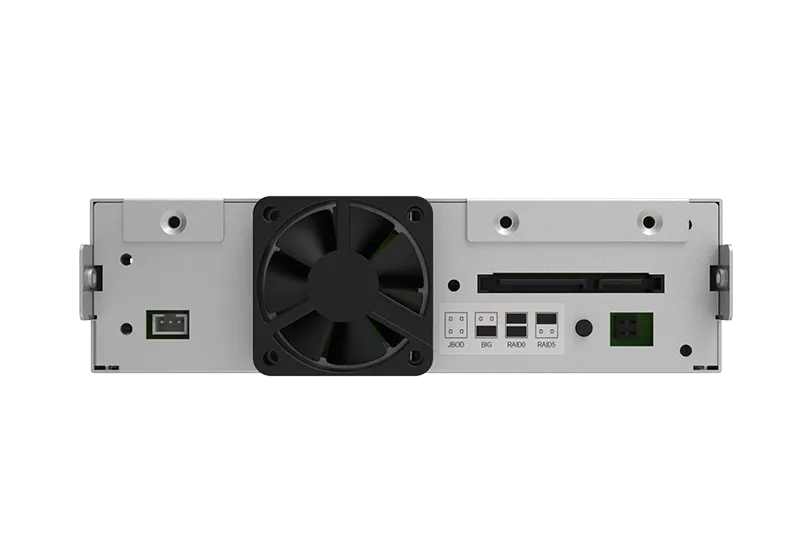
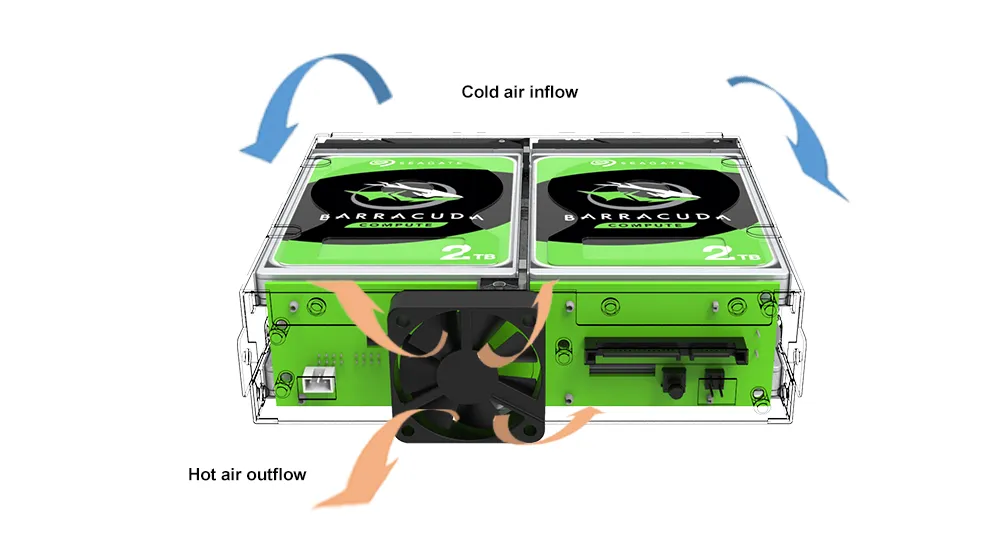
The durable full-metal chassis supports heat dissipation, while the built-in 40 mm low-noise fan provides active airflow for stable operation in compact and densely integrated systems.


Benefits 


Buying Consideration

What Users Need

How the iR5440H Delivers

Data Protection

Protection against a single active-drive failure

RAID 5 with distributed parity

Rebuild Readiness

Recovery without waiting for a replacement drive to be installed

Dedicated Hot Spare allows the controller to begin rebuilding automatically

Compact Integration

More storage in limited internal space

Four 2.5-inch SATA bays in a 1U ODD form factor

Easy Maintenance

Fast, controlled drive replacement

Front-access, hot-swappable, lockable trays

Status Visibility

Clear fault and recovery information

Drive LEDs, buzzer alerts, and 25% / 50% / 75% / 100% rebuild indicators

Thermal Reliability

Stable operation in dense systems

Full-metal chassis, temperature monitoring, and 40 mm cooling fan

Host Integration

Fewer host connections and cables

Four drives managed through one SATA III host interface

iR5440H vs. iR5440


Buying Consideration

iR5440H

iR5440

Primary RAID Configuration

RAID 5 + dedicated Hot Spare

Four-drive RAID 5

Usable Capacity with Equal-Size Drives

Capacity of two drives

Capacity of three drives

Rebuild Response

Rebuild can begin automatically on the installed spare

A replacement drive must be installed before rebuilding can begin

Drive-Failure Tolerance

One active array drive

One array drive

Other Modes

RAID 0 / BIG / JBOD

RAID 0 / BIG / JBOD

Form Factor

Four 2.5-inch SATA bays in a 1U ODD module

Four 2.5-inch SATA bays in a 1U ODD module

Best Fit

Systems prioritizing rebuild readiness and availability

Systems prioritizing RAID 5 usable capacity


Selection guidance: Choose the iR5440H when automatic rebuild readiness is more important than maximum usable RAID 5 capacity. Choose the iR5440 when higher usable capacity from four drives is the priority and replacement-drive installation can be handled manually.


Applications


1. Industrial PCs and Embedded Systems


Provides compact hardware RAID storage for industrial computers, automation systems, and embedded platforms where space, serviceability, and predictable recovery behavior are important.


2. Edge Servers and Compact Servers


Adds local RAID storage with an installed spare drive to edge servers and compact systems that may operate at remote or difficult-to-service locations.


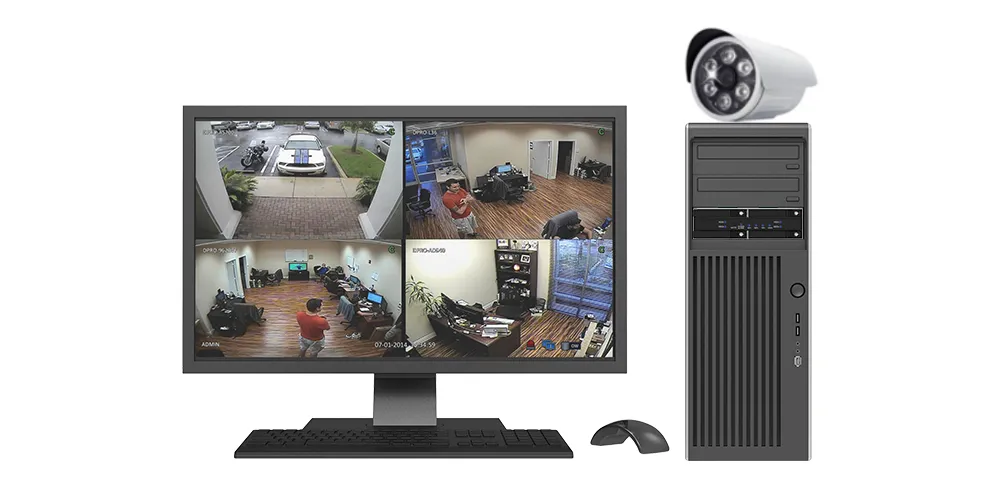
3. Surveillance and Security Systems


Supports continuous local recording with RAID protection, front-access drive replacement, visible fault alerts, and automatic rebuild initiation after an active drive failure.


4. Professional Workstations


Offers RAID 0 for performance-oriented temporary workloads or RAID 5 + Hot Spare for projects that prioritize storage availability and easier recovery.


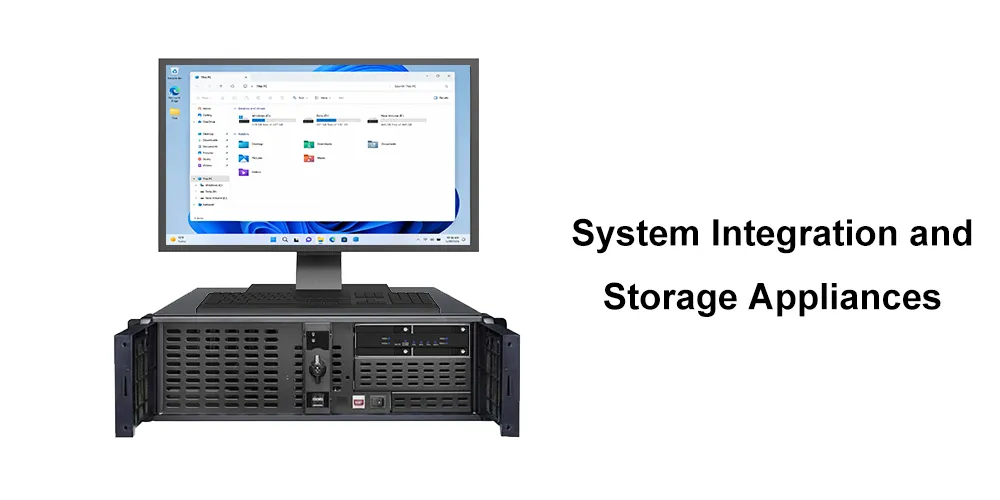
5. System Integration and Storage Appliances


Gives system integrators a compact, serviceable hardware RAID building block for specialized storage, local backup, inspection, logging, and data-acquisition systems.


Basic RAID Setup


Always refer to the latest Quick Installation Guide for the exact jumper positions, LED sequence, and Reset-button timing.


1. Back up all important data. Creating or changing a RAID configuration will erase the installed drives.


2. Power off the host system.


3. Set the rear RAID-mode jumpers to the required configuration.


4. Hold the Reset button while powering on the system.


5. Release the Reset button when the drive LEDs indicate that the setting has been accepted.


6. Power-cycle the system if instructed by the Quick Installation Guide.


7. Initialize, partition, and format the new volume in the operating system.


RAID 5 + Hot Spare Initialization


For the initial RAID 5 + Hot Spare configuration:


1. Set the jumpers to RAID 5 according to the Quick Installation Guide.


2. Install three drives and complete the initial RAID 5 setup.


3. After the array is ready, insert the fourth drive. The controller will assign it as the dedicated Hot Spare.


Use drives of the same capacity and preferably the same model for predictable capacity and RAID behavior.


Important Usage Notes


1. RAID is not a backup. RAID 5 + Hot Spare improves availability after a single active-drive failure, but it does not protect against accidental deletion, file corruption, malware, theft, fire, or multiple-drive failure. Maintain a separate backup of important data.


2. Usable capacity in RAID 5 + Hot Spare is based on two drives. With four equal-size drives, three drives form the RAID 5 array and one is reserved as the spare. Approximate usable capacity is therefore (3 − 1) × the capacity of the smallest active drive.


3. A second failure during rebuilding can cause data loss. The array remains vulnerable until rebuilding is complete.


4. Replace the failed drive to restore Hot Spare readiness. After the original Hot Spare has joined the RAID 5 array and rebuilding is complete, insert a qualified replacement for the failed drive. The newly inserted drive will automatically become the new Hot Spare.


5. JBOD requires SATA Port Multiplier support. Without host-controller support, the host may detect only one drive.


6. RAID 0, RAID 5 + Hot Spare, and BIG do not require Port Multiplier support. These modes are presented to the host as a single volume.


7. Set the RAID mode before installing the module in the chassis. Rear jumpers may be difficult to reach after the unit is mounted in a compact 1U system.


8. Erase old RAID metadata before reusing a drive. A drive previously used in another RAID array should be fully erased and reinitialized before reuse. This process permanently deletes all data on the drive.


9. Use drives suited to the workload. For continuous-operation or RAID applications, select reliable SATA HDDs or SSDs and refer to RAIDON's latest compatibility guidance.


10. Shared Host Bandwidth: All drives share a single SATA III 6Gb/s host interface. Actual performance depends on the drives, RAID mode, workload, and rebuild status.


Frequently Asked Questions (FAQ)


Q1. How many drives does the iR5440H support?


The iR5440H supports up to four 2.5-inch SATA HDDs or SSDs.


Q2. What RAID modes are supported?


The iR5440H supports RAID 5 + Hot Spare, RAID 0, BIG, and JBOD.


Q3. How does RAID 5 + Hot Spare work?


Three drives form a RAID 5 array and the fourth is held in reserve. If one active array drive fails, the controller automatically brings the spare drive into the array and begins rebuilding.


Q4. What is the usable capacity in RAID 5 + Hot Spare mode?


With four equal-size drives, usable capacity is approximately equal to the combined capacity of two drives. For example, four 2 TB drives provide approximately 4 TB of usable RAID capacity before formatting and unit-conversion differences: three drives form RAID 5, and one drive serves as the Hot Spare.


Q5. Does Hot Spare provide protection against two simultaneous drive failures?


No. RAID 5 tolerates one active array-drive failure. The spare enables rebuilding to begin automatically, but it does not provide dual-drive fault tolerance. If another active drive fails before rebuilding is complete, the array and its data may be lost.


Q6. What happens after the Hot Spare has rebuilt the RAID 5 array?


After rebuilding is complete, replace the failed drive with a qualified new drive. The iR5440H will automatically assign the newly inserted drive as the new Hot Spare, restoring the original three-drive RAID 5 plus one-drive Hot Spare configuration.


Q7. Is RAID 5 + Hot Spare a backup solution?


No. It improves storage availability after a drive failure, but it does not replace an independent backup. Important data should also be stored on another device or backup system.


Q8. Can the iR5440H operate in JBOD mode?

Yes. In JBOD mode, each drive is presented independently. The host SATA controller must support SATA Port Multiplier to detect all four drives; otherwise, only one drive may appear.


Q9. Does the iR5440H support hot-swapping?

Yes. It includes hot-swappable, lockable 2.5-inch drive trays for convenient maintenance. Follow the prescribed replacement procedure and verify the failed drive before removal.


Q10. How is rebuild progress displayed?


Front-panel LEDs display RAID rebuild progress at 25%, 50%, 75%, and 100%.


Q11. Does the iR5440H monitor temperature and fan operation?


Yes. It provides LED and buzzer alerts for overheating and fan-failure conditions.


Q12. Which operating systems are supported?


The storage volume supports Windows and Linux. RAIDON STATUSGUARD GUI monitoring is available for Windows only.


Q13. Can a drive from another RAID array be reused?


Yes, but it should first be fully erased and reinitialized to remove previous RAID metadata. Back up any required data before erasing the drive.


 

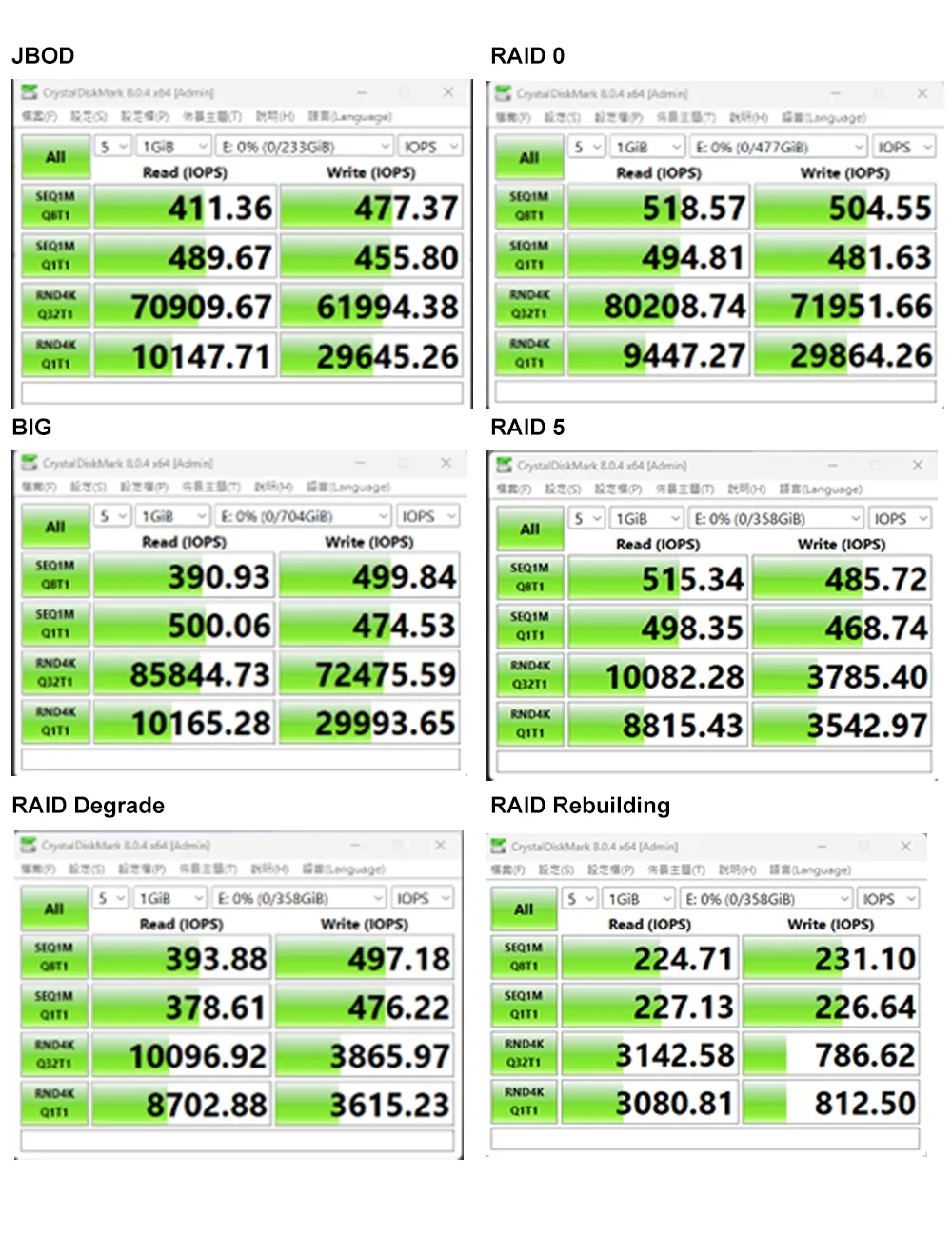
Performance test result for reference. The test result will vary depend on the test environment.

Product View

Specification


Model No iR5440H
Host Interface SATA III 6Gb/s data port ×1
Power 15-pin SATA power connector ×1
Supported Drives 2.5" SATA III / II / I HDDs or SSDs ×4
RAID Mode RAID 0 / RAID 5 + Hot Spare / BIG / JBOD
System Monitoring Fan failure, overheat, and HDD/SSD failure
Cooling System 40 mm low-noise fan
Operating System Support Windows, Linux
Monitoring & Protection RAID rebuild progress (25% / 50% / 75% / 100%)
Overheat / fan failure LED + buzzer alerts
GUI Monitoring RAIDON STATUSGUARD GUI software for Windows OS
Certifications CE, FCC, RoHS
Dimensions 140 x 148 x 43 mm (L x W x H)
Packaged Weight Approximately 0.8 kg per unit, excluding drives
Packaging 10 pcs per carton
Included Accessories iR5440H ×1;
Removable lockable drive trays ×4;
SATA cable ×1;
keys and accessory kit;
Quick Installation Guide ×1


iR5440H Download

Product
Datasheet
QM
UM
CE & FCC
Photo
other
iR5440H

iR5440H Question & Answer

  • Q1How many drives does the iR5440H support?
  • Q2What RAID modes are supported?
  • Q3How does RAID 5 + Hot Spare work?
  • Q4 What is the usable capacity in RAID 5 + Hot Spare mode?
  • Q5Does Hot Spare provide protection against two simultaneous drive failures?
  • Q6What happens after the Hot Spare has rebuilt the RAID 5 array?
  • Q7Is RAID 5 + Hot Spare a backup solution?
  • Q8Can the iR5440H operate in JBOD mode?
  • Q9Does the iR5440H support hot-swapping?
  • Q10How is rebuild progress displayed?
  • Q11Does the iR5440H monitor temperature and fan operation?
  • Q12Which operating systems are supported?
  • Q13Can a drive from another RAID array be reused?
 

RaidonTek.com (raidon.com.tw) uses cookies to improve site functionality and your overall experience by storing necessary information for service delivery. By continuing, you consent to our use of cookies as detailed in our Privacy Policy, which provides more information about this usage. (Accept cookies to continue browsing the website)